
Contacts and Compliance
Manage suppression contacts
Keep global or list-specific exclusions separate from unsubscribe status.
Suppress from Contacts
Use the block icon or bulk-select contacts and choose Suppress. The icon becomes red for a suppressed contact. Its remove action can clear the matching suppression where appropriate. Removing suppression does not automatically resubscribe the contact.
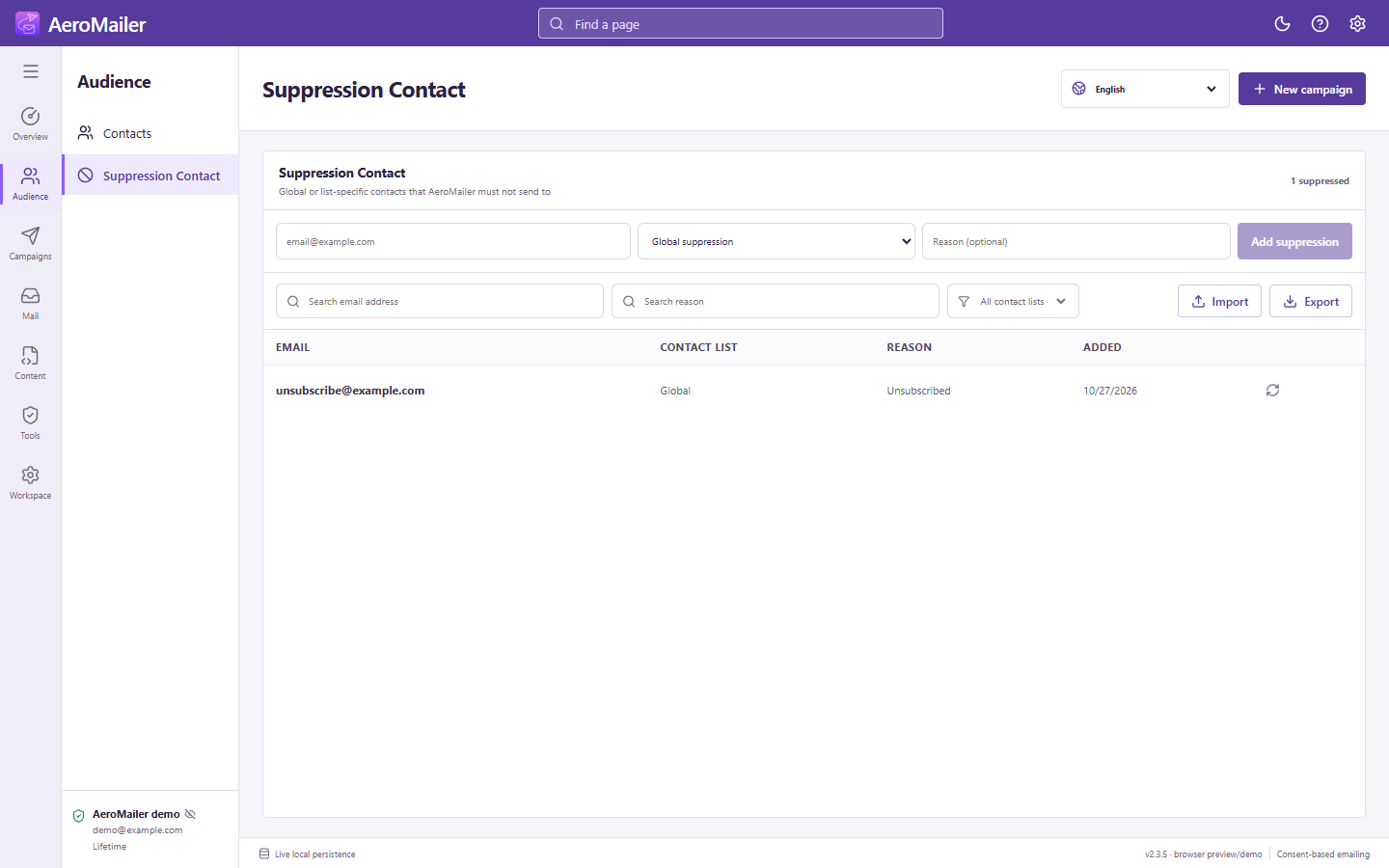
Manage exclusions
Open Suppression Contact to add an address and reason, choose global or list-specific scope, import/export, and search or filter exclusions. Read the scope before removal; a different applicable suppression can still block delivery.
Unsubscribe is separate
Automatic campaign STOP handling changes the contact's subscription status only. It does not add a suppression or change consent. Suppression remains useful for complaints, internal exclusions, and recipients who must be blocked regardless of campaign filters. See unsubscribe setup.