
Campaigns
Enable reply-STOP unsubscribe for selected campaigns
Configure multilingual footers and match incoming replies to a campaign.
Enable the master setting
- Connect a receiving IMAP account for the sender/reply inbox and keep AeroMailer running.
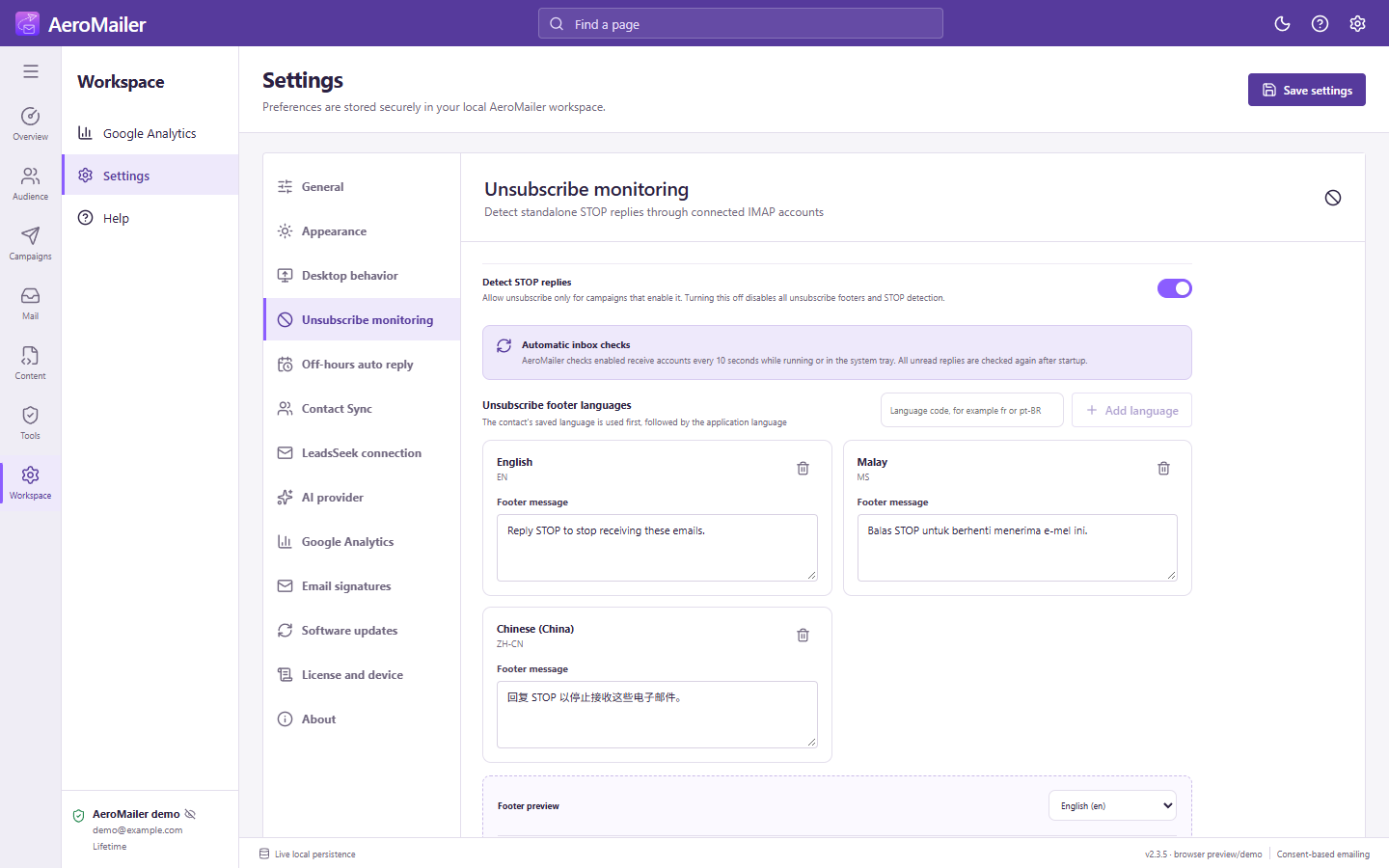
- Open Settings → Unsubscribe monitoring and enable Detect STOP replies.
- Edit footer messages. Use Add language for codes such as
fr,ja, orpt-BR. Keep the instruction clear: reply with STOP. - Save. The contact's saved language is used first, then the application language/fallback message.
Enable each campaign
In a new or editable campaign, turn on Unsubscribe for this campaign. New campaigns default off. Confirm Enabled for this campaign in final review and inspect a test message. The footer works with plain text, custom/uploaded HTML, and templates. Individual Inbox messages do not get it automatically.
What a STOP reply does
A standalone STOP or stop reply must match an enabled campaign delivery. It changes contact Status to Unsubscribe only, without changing Consent or moving it to Suppression Contact. Reports shows the attributed unsubscribe event. Unrelated or unmatched STOP mail is not blindly applied.
When the app is closed or disabled
Enabled receive accounts are checked about every 10 seconds while running or in the tray. Unread STOP replies are checked after startup. Master-off disables all footers and STOP detection; campaign-off disables that campaign. Neither setting resubscribes existing unsubscribed contacts. Keep future campaigns on Status: Subscribe to exclude them.