









Run in the background and use the system tray
Keep sending, receiving, and automation running when the window is hidden.
Configure desktop behavior
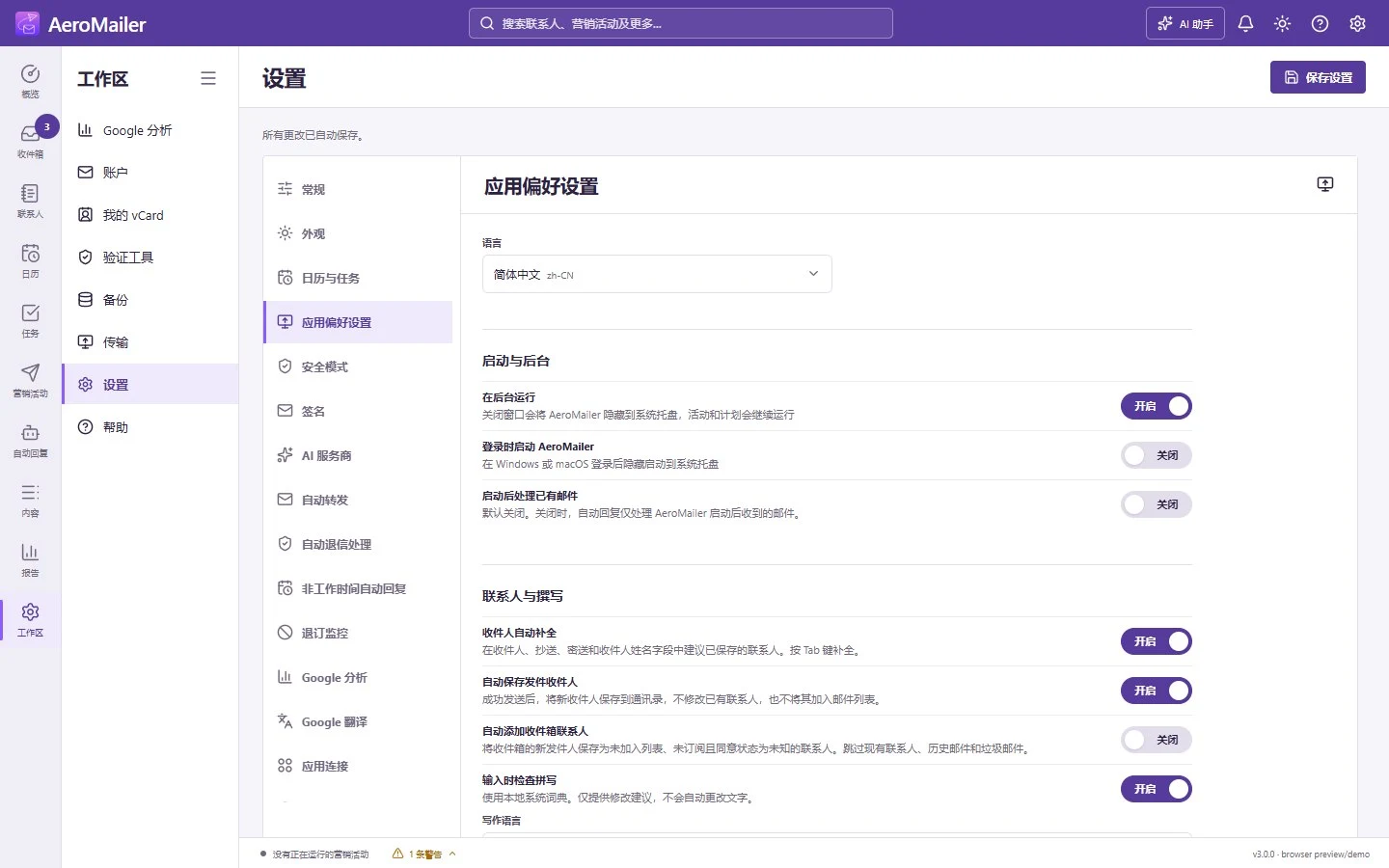
Open Settings → App Preference. Enable Run in background to keep the process in the system tray when the window closes, and optionally Start AeroMailer when I sign in. Wait for saved confirmation; Save settings remains available.
Close is not quit
Tray mode can continue campaigns, mail receiving, scheduled backup checks, and enabled automation. Reopening the shortcut uses the running instance. Fully quitting, logging out, sleeping, or switching the computer off stops processing. Online mail features also need internet access.
Restart behavior differs by feature
Unsubscribe checks eligible unread keyword replies after startup. Bounce handling checks eligible cached delivery reports. New-mail alerts establish a baseline instead of alerting for the whole existing inbox. Ordinary auto reply does not process old mail by default; enabling Process existing messages after startup can intentionally process a backlog. Standalone Auto Forward does not replay mail received while the app was closed.
Approved/pending AI queue entries and scheduled backups have their own approval and backup recovery rules. See unread badges and notifications.

