









Compose an individual email or reply
Use CC, BCC, recipient variables, templates, signatures, and files.
Compose, reply, or forward
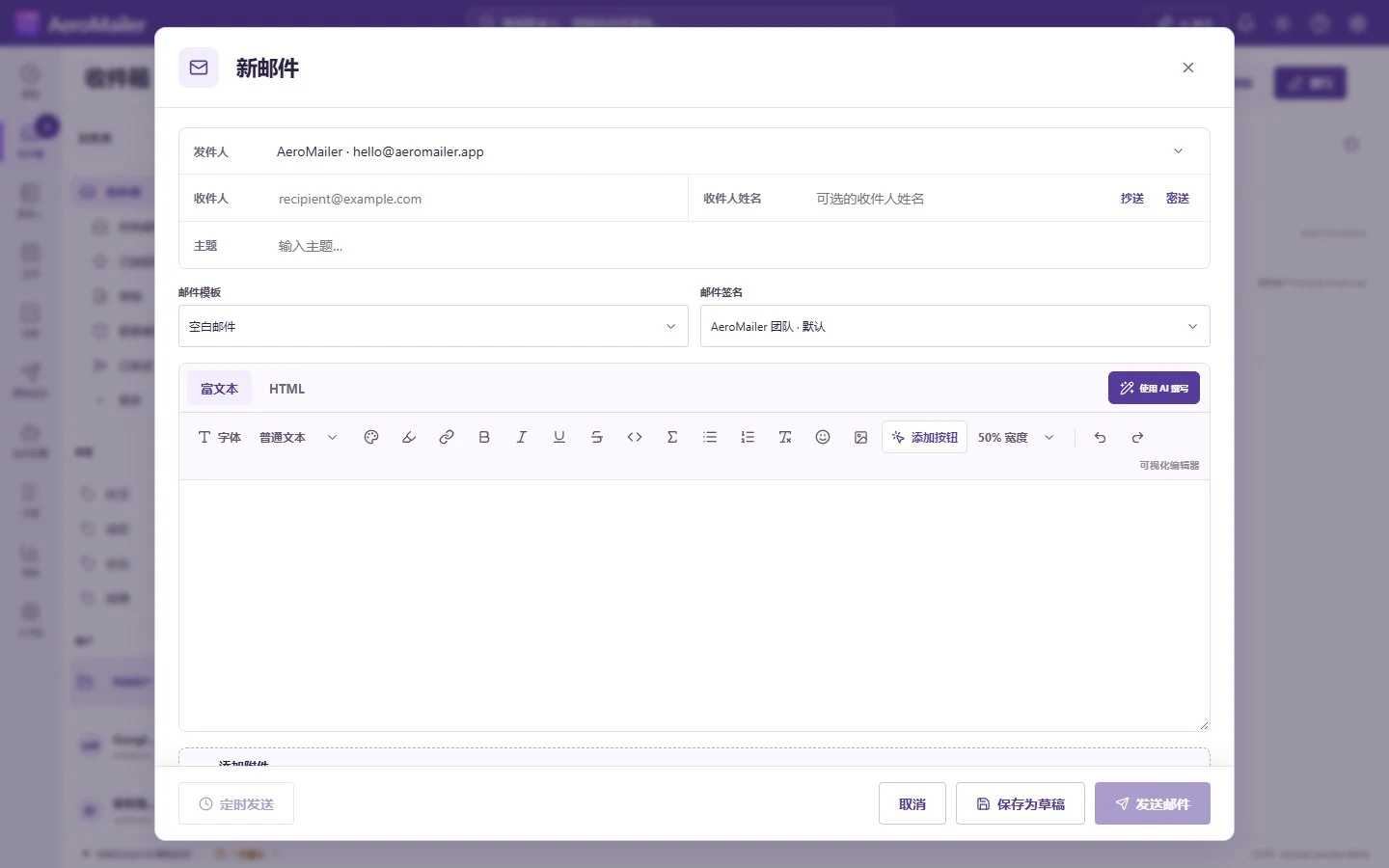
- In Inbox choose New message, or select Reply, Reply all, or Forward on a received message. Contacts also has a Compose action.
- Choose a sending-enabled SMTP account. Enter To and an optional recipient name; expand CC/BCC when needed.
- Enter the subject. When To matches a contact, review the available personalization values.
- Write in rich text/HTML or load a saved Email template. Use the toolbar or right-click selected text for formatting. Add Button inserts a customizable linked button.
- Choose the signature and attachments. Use Write with AI only when AI Provider is enabled.
- Review all recipients, content, files, and the From account; send and wait for the result.
Review formatting and privacy
Highlight text to see active bold, italic, heading, color, link, list, and other formatting states. Existing buttons can be selected to edit text, URL, colors, and alignment. Plain-text delivery cannot retain HTML button styling, images, or rich formatting. CC recipients are visible; BCC hides copied addresses. Loading a template can replace the current draft content.
Signature selection
Recipient rules take priority over account defaults, then the global default. A manual signature selection, including No signature, remains your choice. See signature types and defaults.
Attachments and campaign-only features
The individual composer allows up to 20 MB per file and 25 MB total before transport encoding; providers may accept less. Individual mail does not automatically receive a campaign unsubscribe footer. Confidential mode and reliable copy/forward prevention are not implemented. Chat replies use the compact Chat composer.
Use suggestions, drafts, and scheduled sending
When enabled under App Preference, accept name and address suggestions with Tab. Successful individual sends can save new recipients without overwriting existing contacts. Use the font, emoji, or symbol picker and verify how the mail renders in another client. Use Save as draft or Schedule send, Attach vCard for an assigned account, or Encrypt email when configured.

