
Workspace
Overview
See sending activity, unread mail, campaign progress, account limits, automation and items needing attention.
- Advanced App Search

Getting AeroMailer ready









Browse by task, search for a feature, then open any screenshot for a closer look.
See sending activity, unread mail, campaign progress, account limits, automation and items needing attention.

Manage multiple IMAP inboxes, read HTML messages and attachments, and organize folders, labels and older cached mail.

Read email threads as conversations, with a compact reply box, expandable message details, templates and signatures.
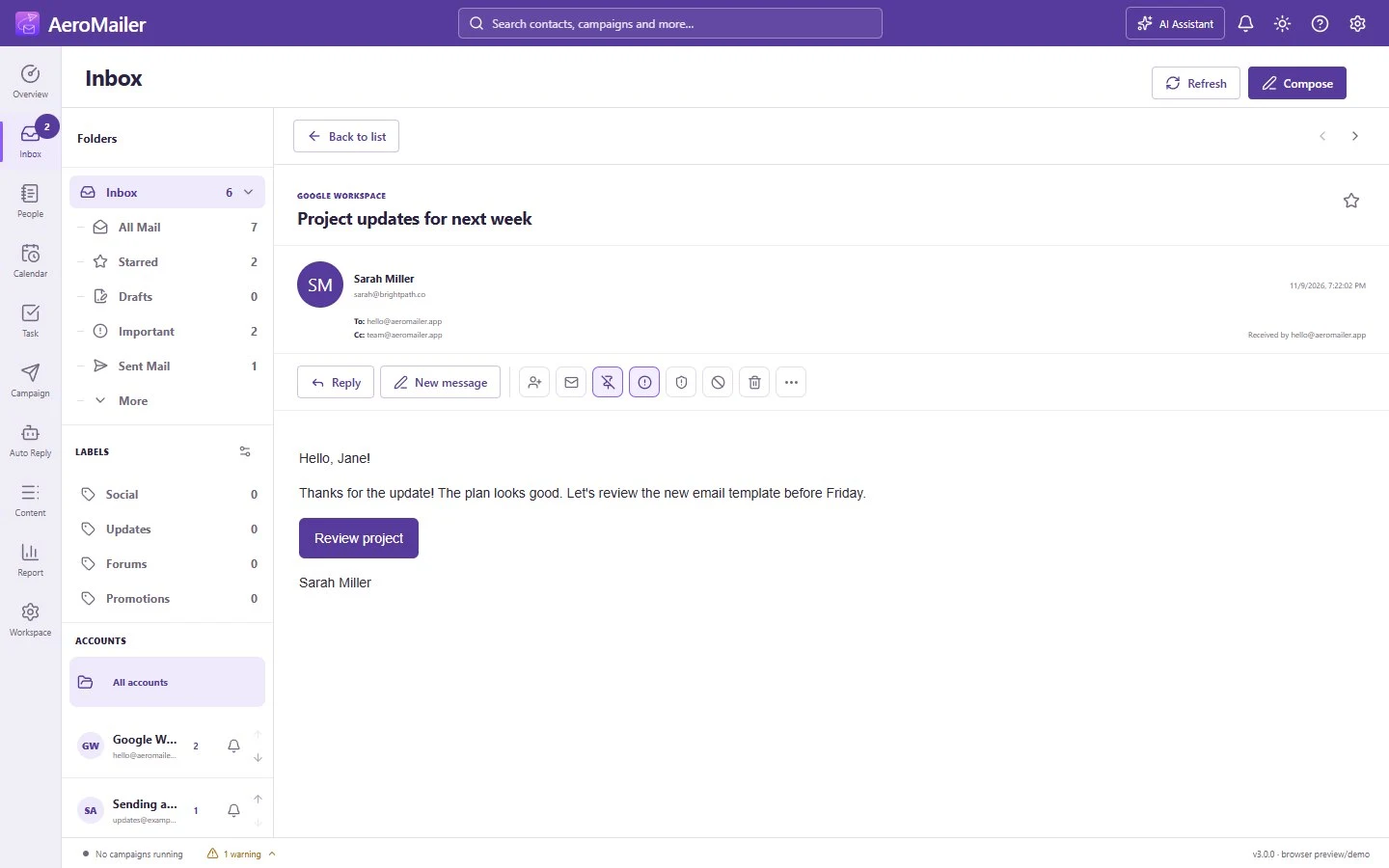
Scan a compact message list and open a message in a dedicated reading view.
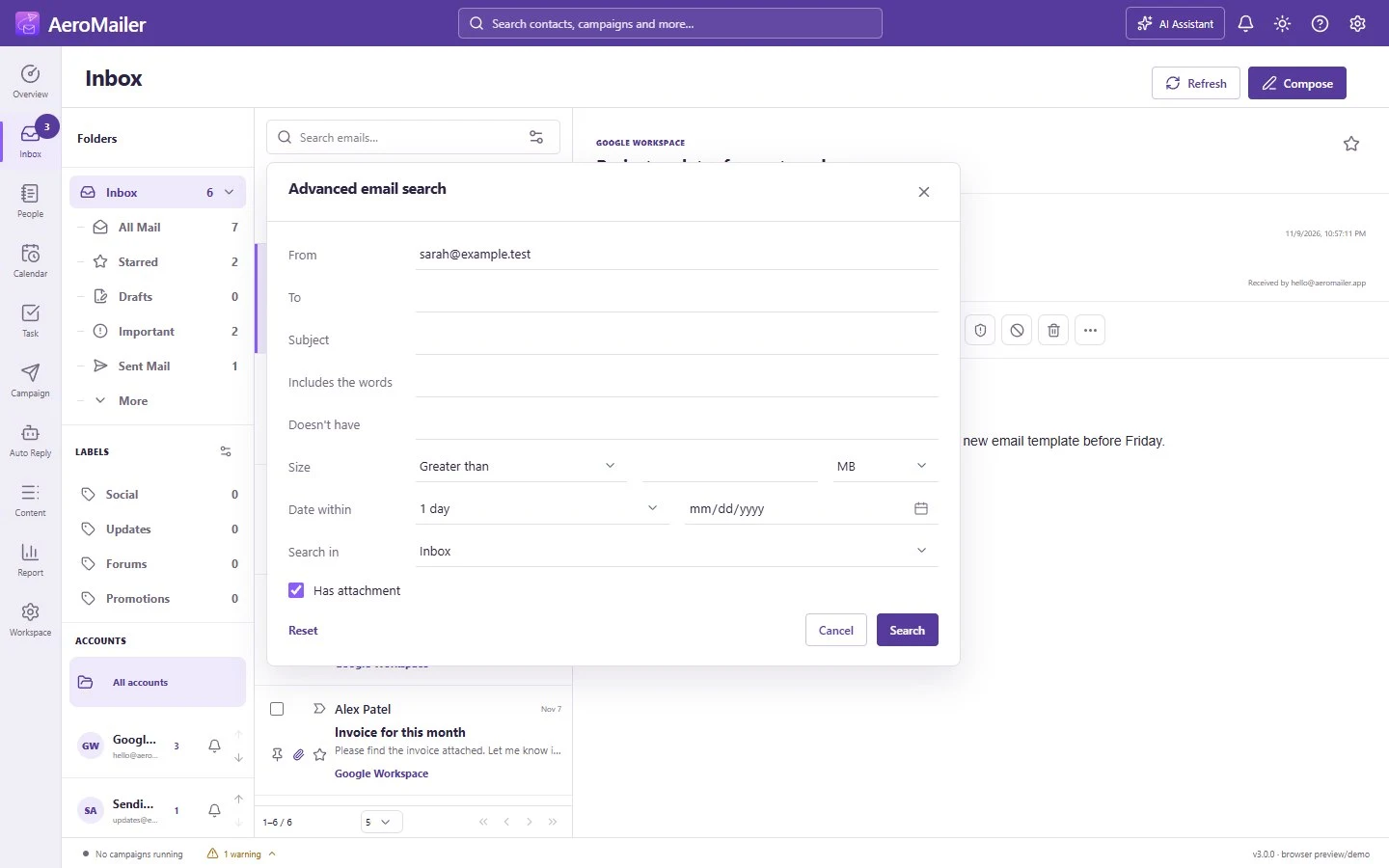
Filter by sender, subject, keywords, date, size, folder and whether a message has an attachment.
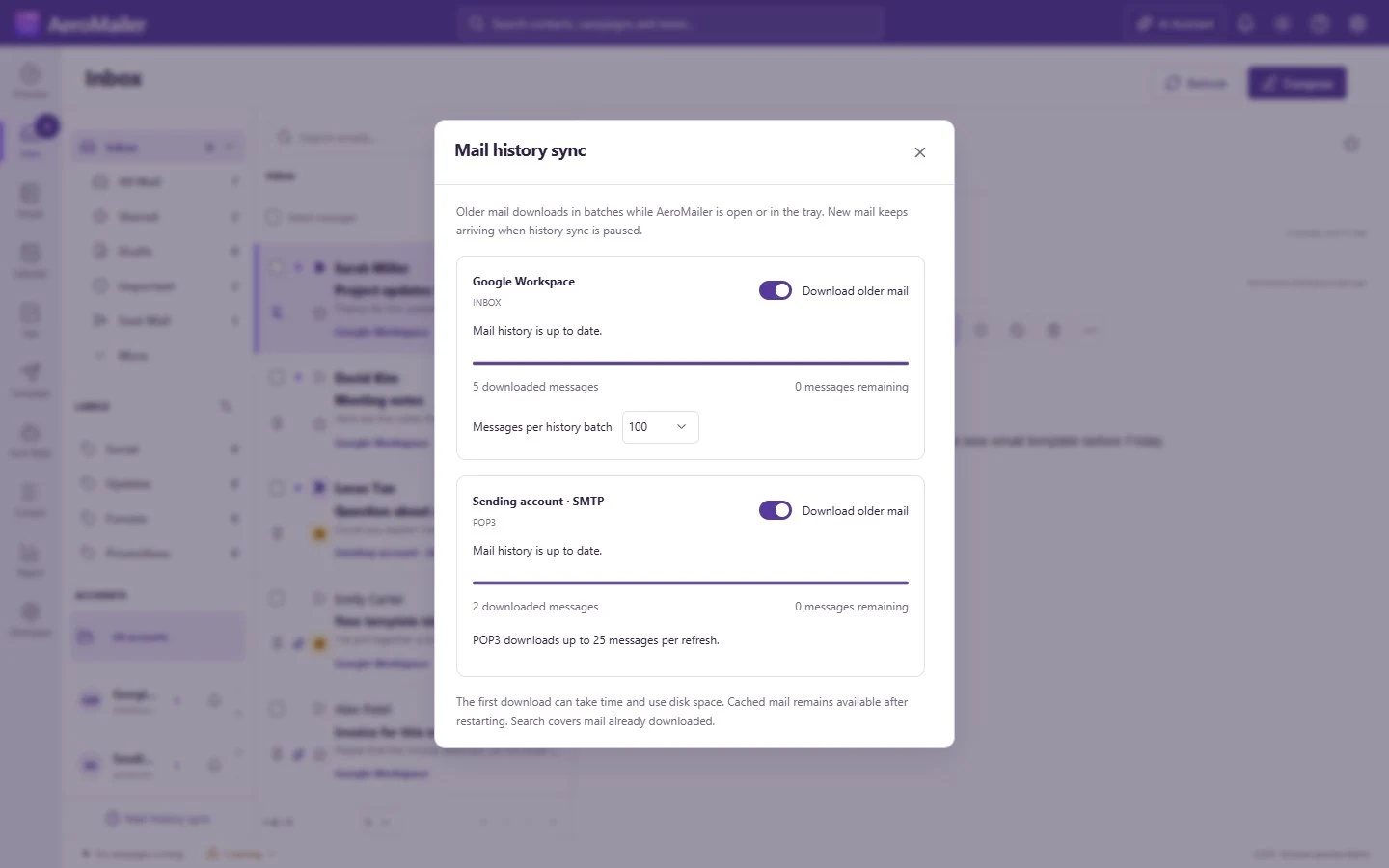
See cached mail and configure background downloads for each account.

Use the Inbox right-click menu to reply, forward, label, snooze or move a message. Bulk-select messages to organize them together.
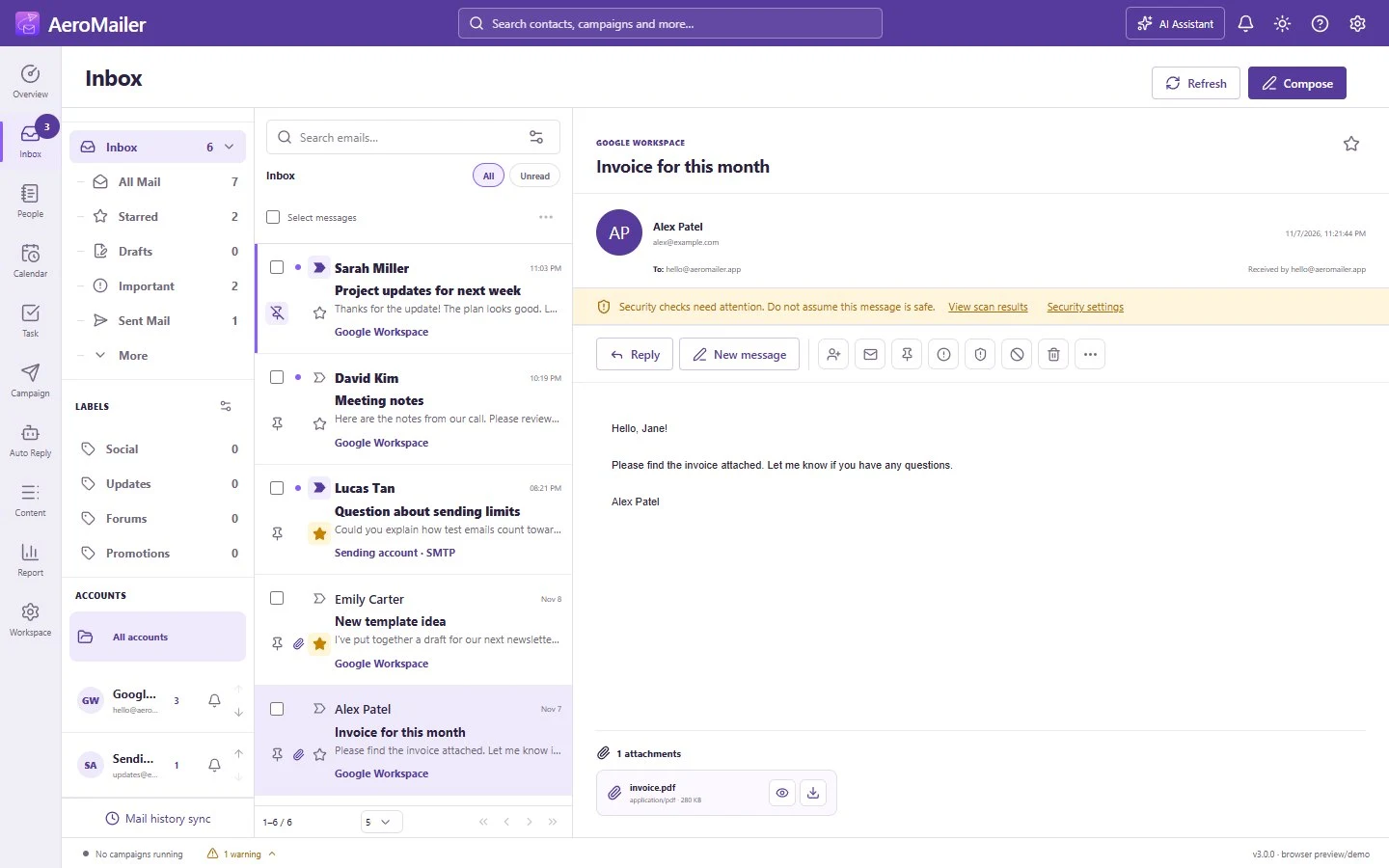
Review attachments and use preview or download controls.

Write with rich formatting or AI, add CC/BCC, insert buttons, choose templates and signatures, and attach files.

Choose when a composed message should be sent.

Add and edit sending accounts, optionally test connections, configure security and daily limits, and monitor usage by source.

Connect IMAP or download mail with POP3, test connections, and import or export account settings.

Set up SMTP and IMAP together or separately and test the connection.

Set up POP3 receiving and configure the server, port and credentials.
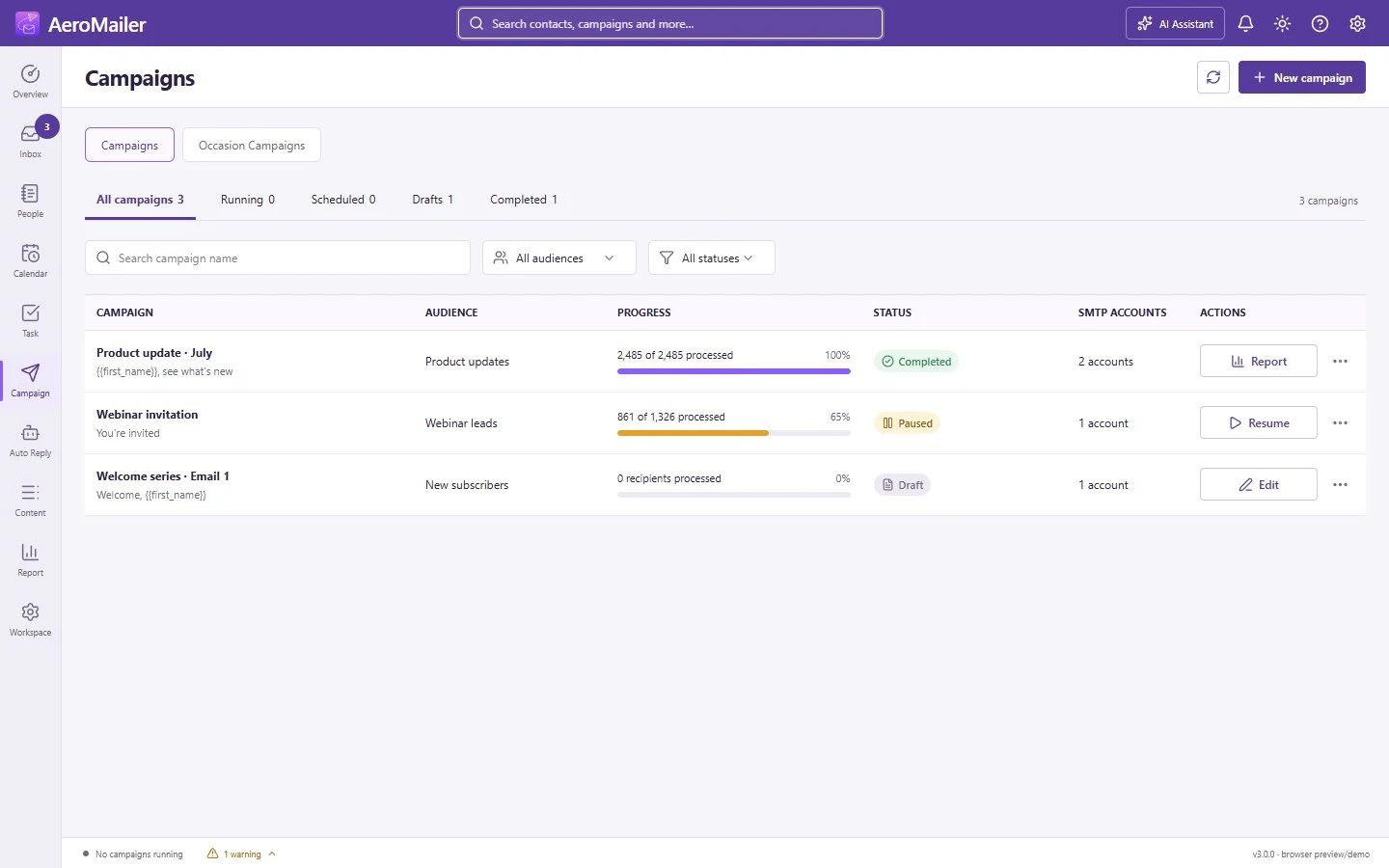
Search and filter campaigns. Review progress, pause, resume, schedule, cancel, edit drafts and reuse completed campaigns.

Select multiple lists, consent and subscription filters, SMTP rotation, delays, attachments and a campaign-specific unsubscribe footer.
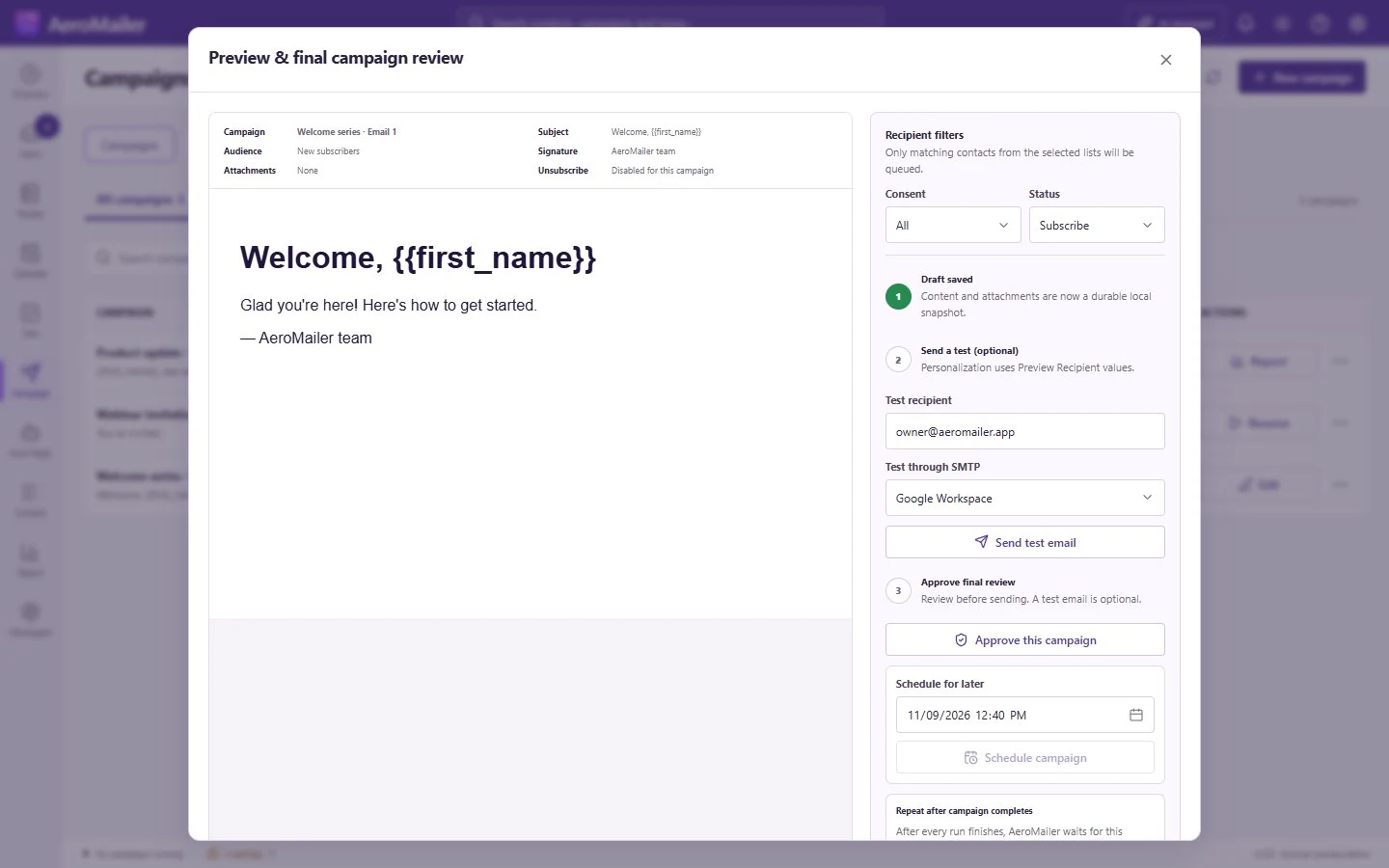
Check personalized content, selected accounts and audiences, send a test, and review scheduling before starting a campaign.

Schedule personalized greetings for birthdays, anniversaries or dates from the Contact Book.
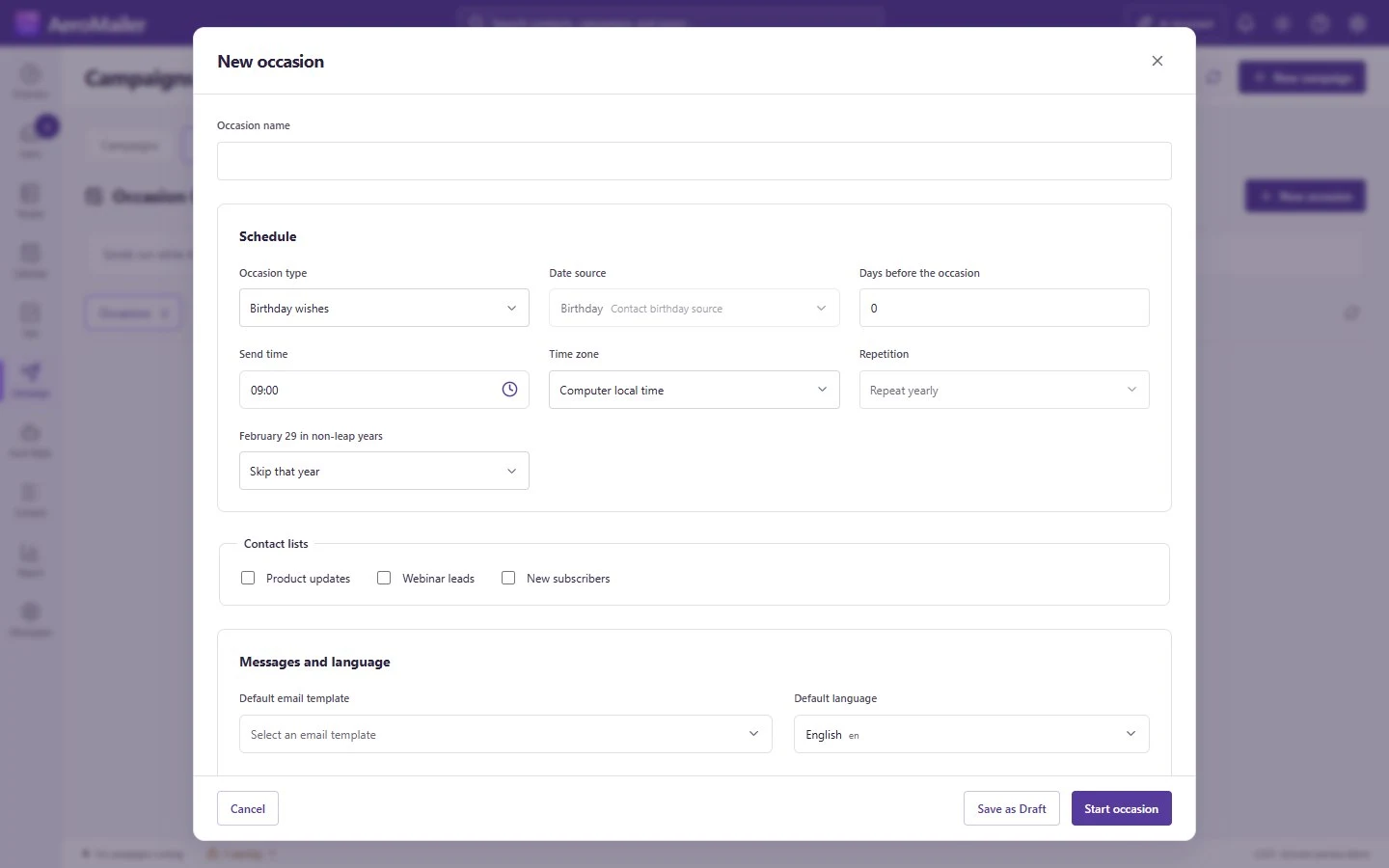
Choose a date source, audience, template and sending time.

Organize lists, custom variables, languages and contact details. Import, export, search, bulk edit, archive and compose directly.
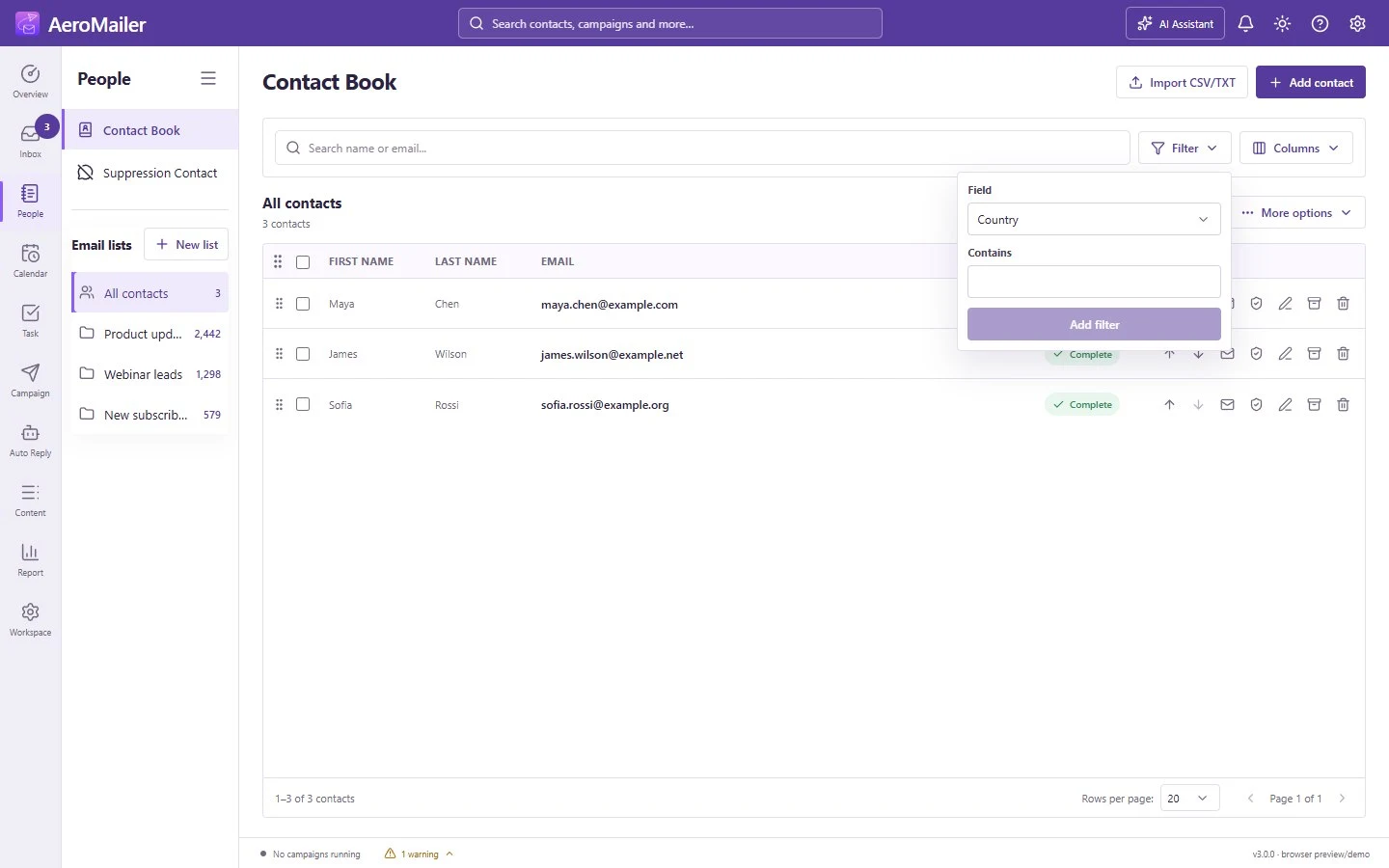
Combine contact filters without editing the contacts.
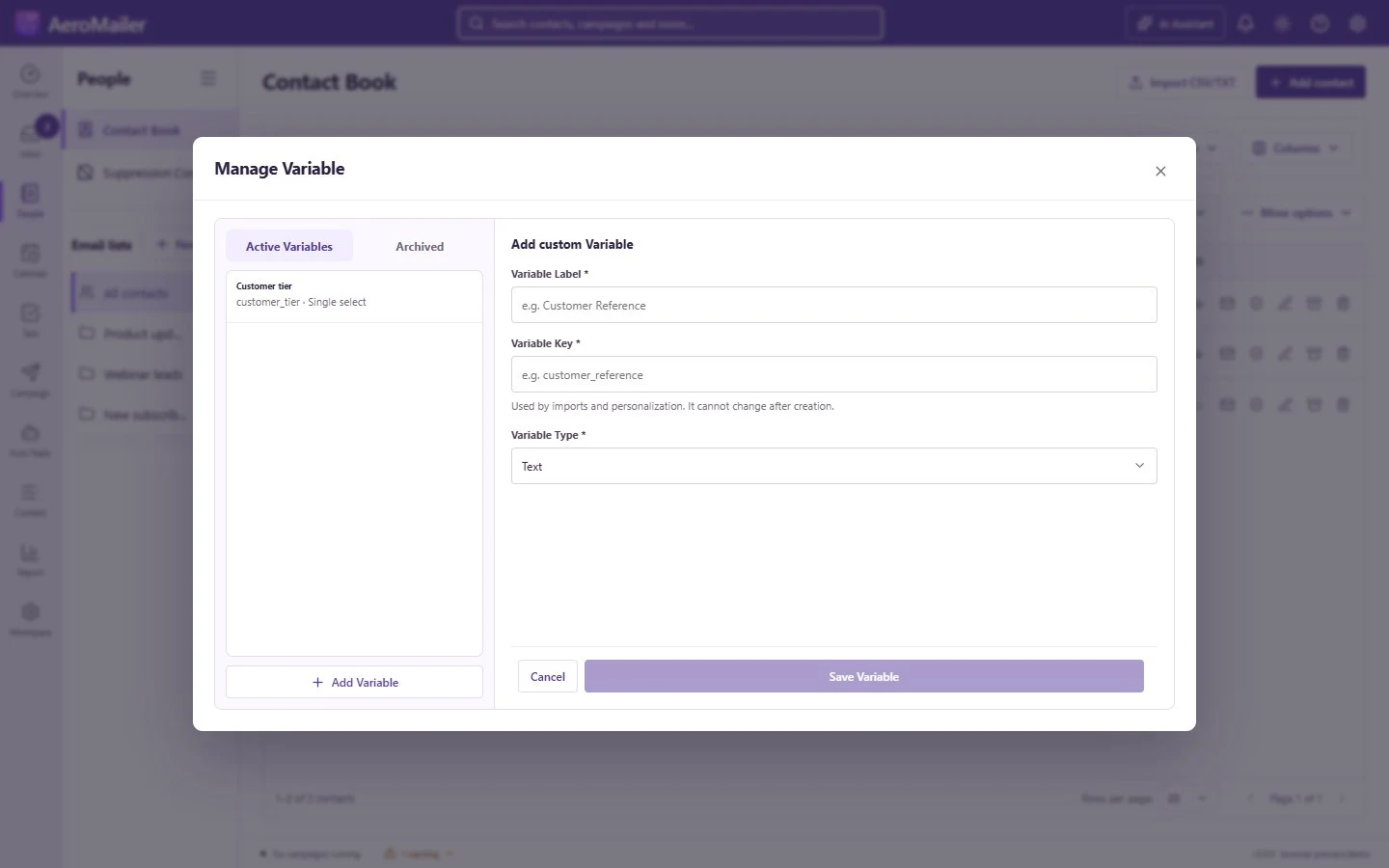
Manage typed contact variables for personalization, including dates and choices.

Edit contact details, choose lists and set personalization fields.
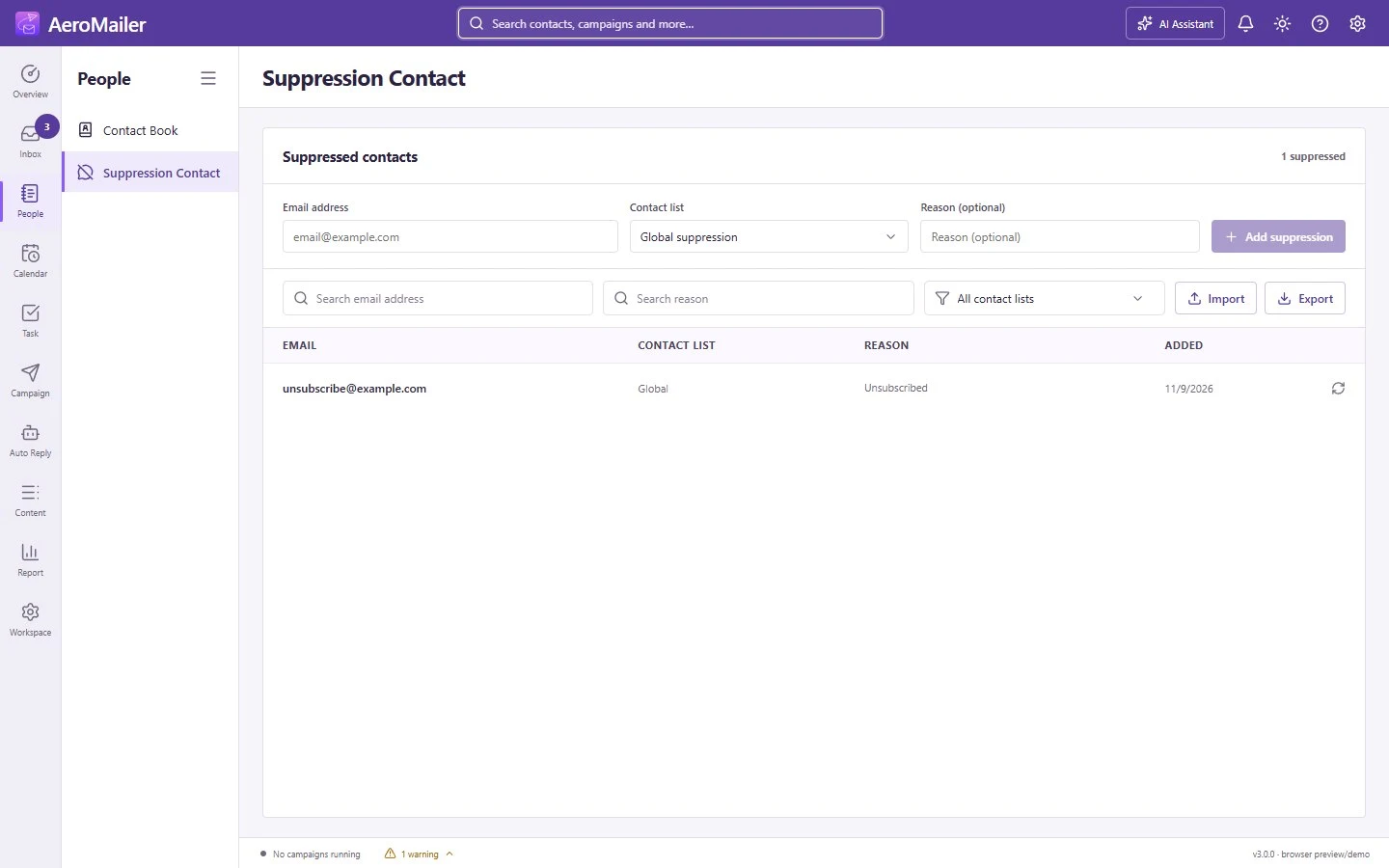
Manage global and list-specific exclusions, search reasons and restore addresses when appropriate. Suppressed recipients are excluded from sending.
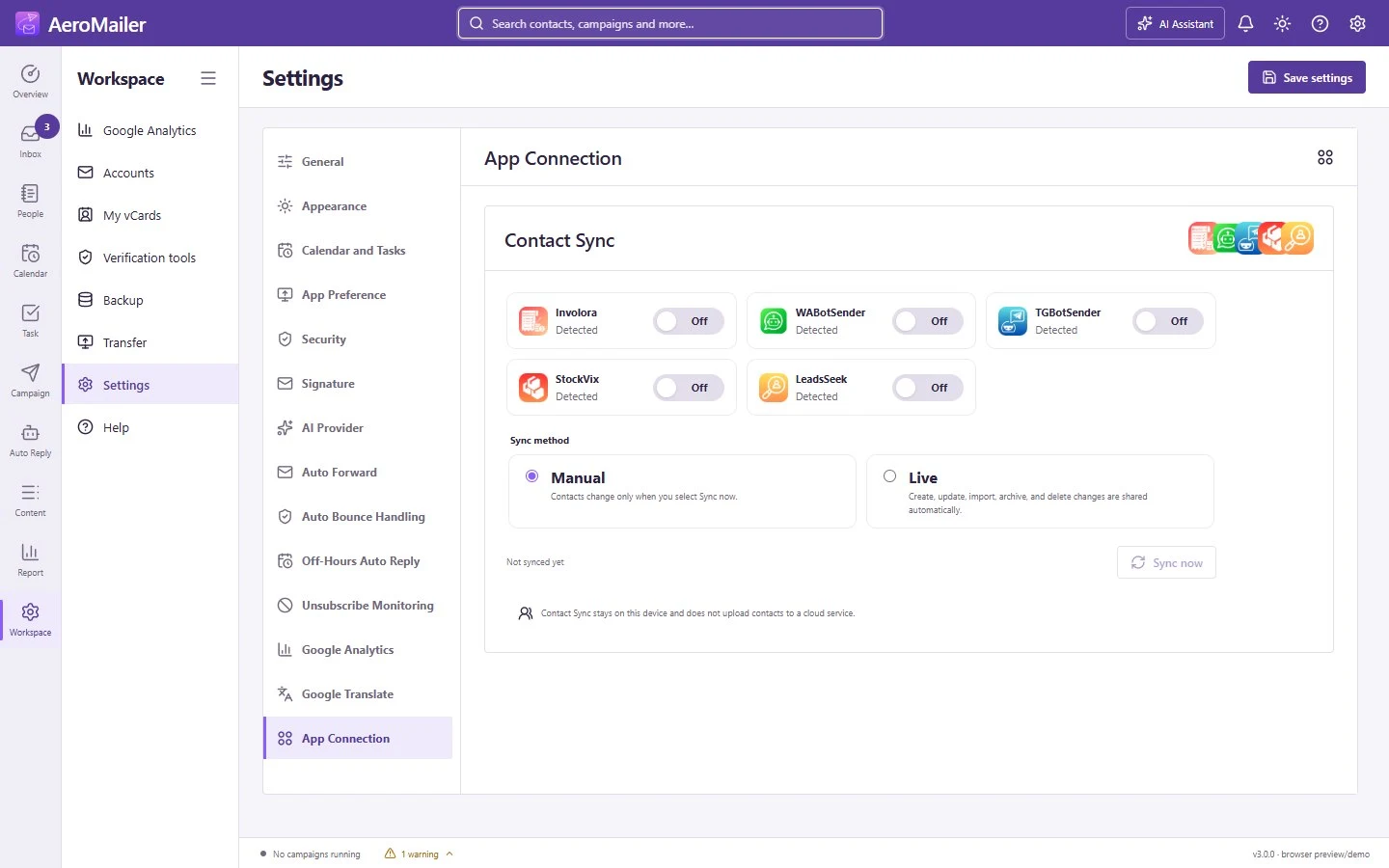
Synchronize standardized contacts across supported Odeysoft apps while keeping contact fields and synchronization settings under your control.

Create and share a digital business card as a VCF file or QR code.
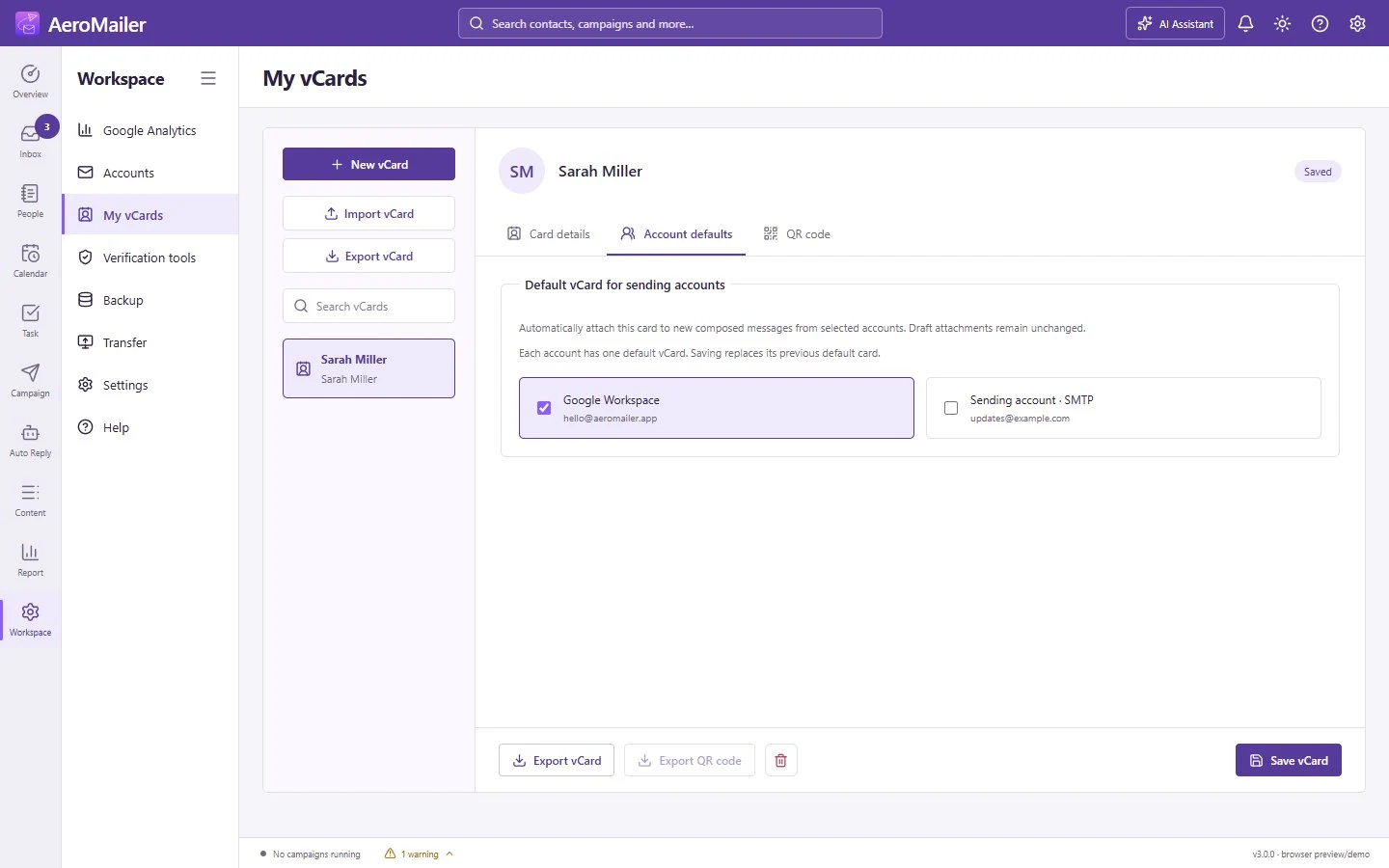
Choose a saved digital business card for your sending accounts.
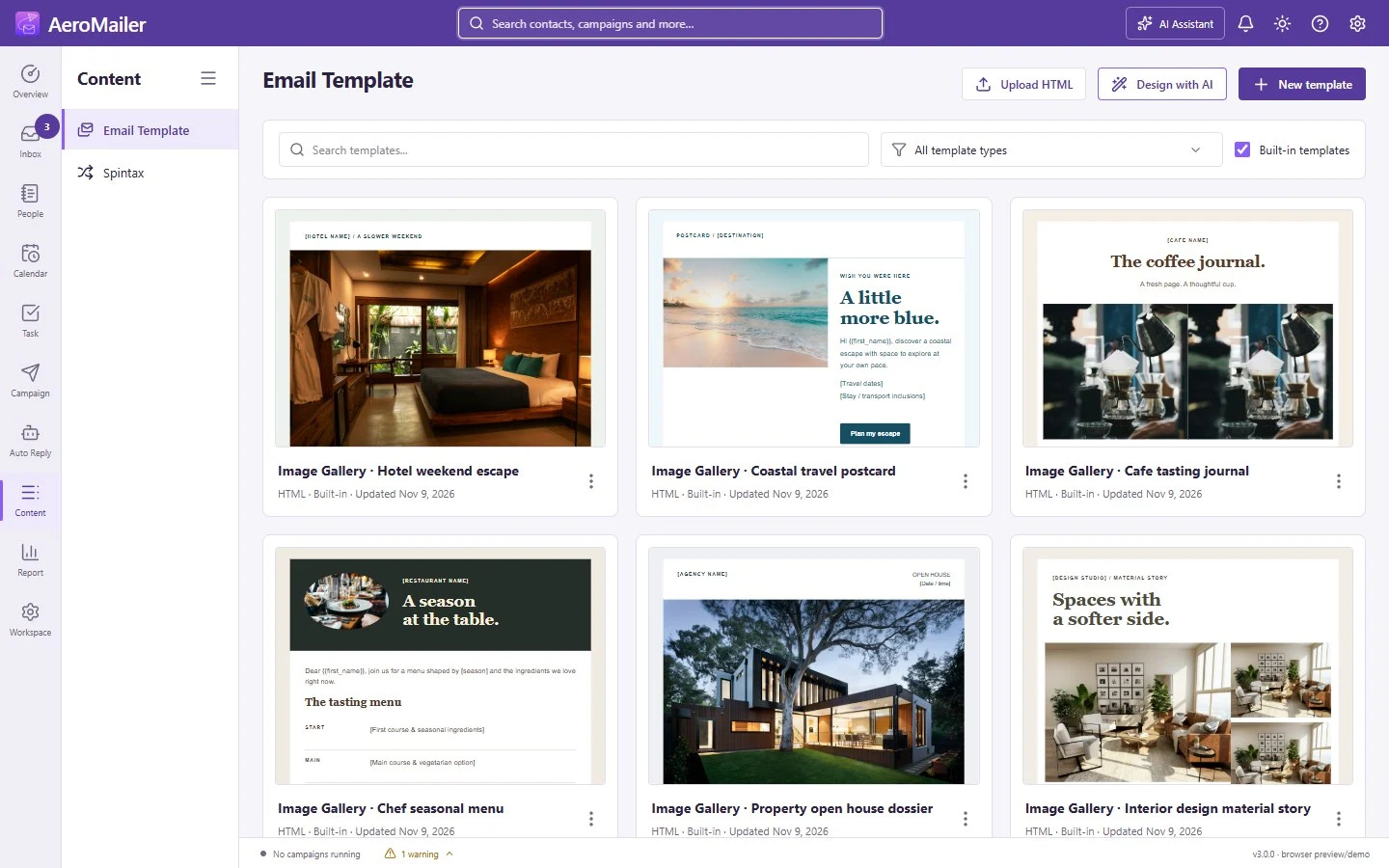
Browse image-led HTML, industry layouts and plain-text starters. Search, filter and customize reusable templates.

Format email content, insert images and customizable buttons, use personalization, and write or revise with optional AI assistance.

Arrange blocks and layout grids, edit element properties and backgrounds, and inspect HTML in the code editor.

Create reusable message variations as removable option chips. Insert saved presets or use manual Spintax in campaigns.

Create HTML, plain-text, image or Drawpad signatures. Assign account defaults and optional recipient-specific signature rules.
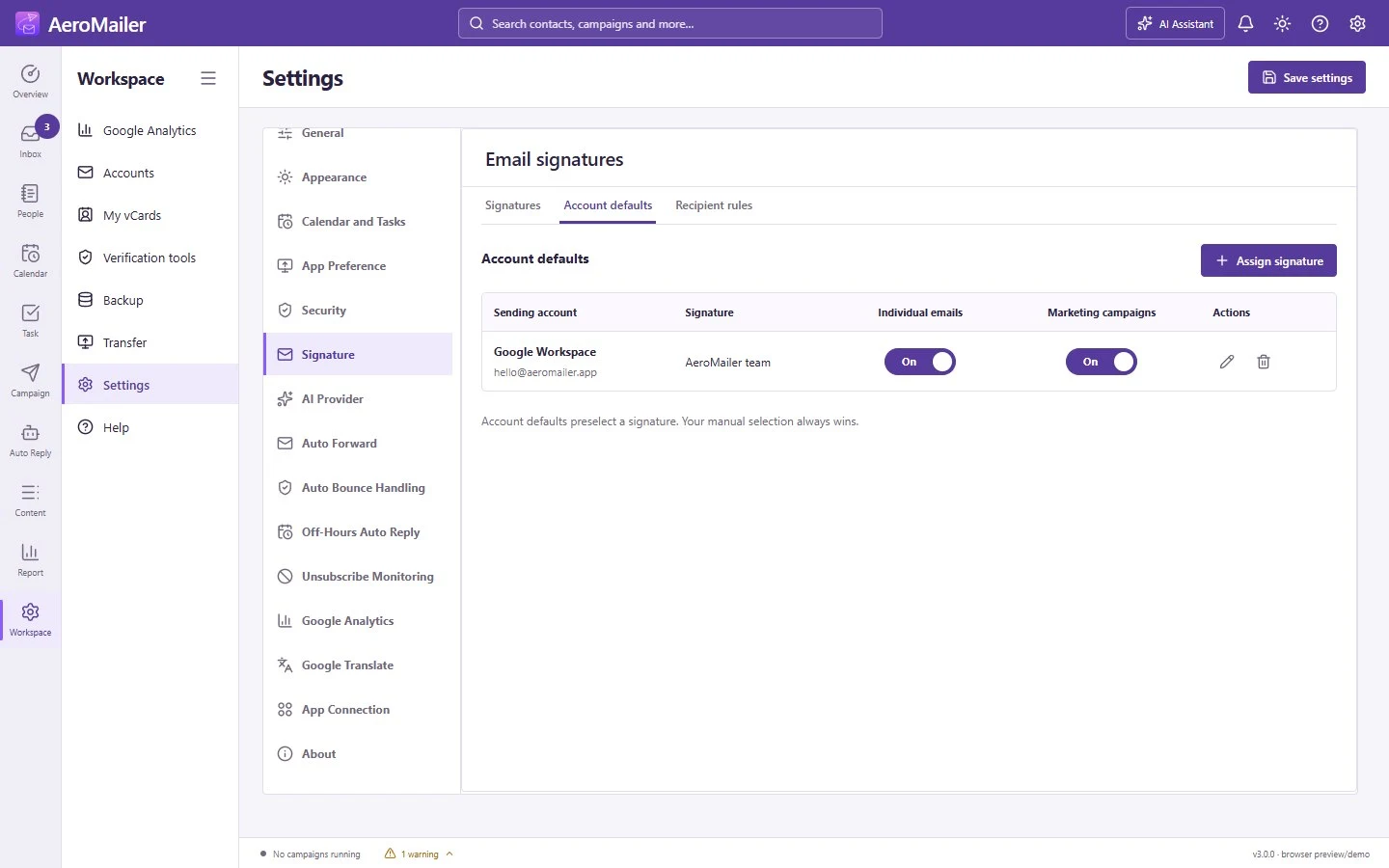
Choose a default signature for each sending account.
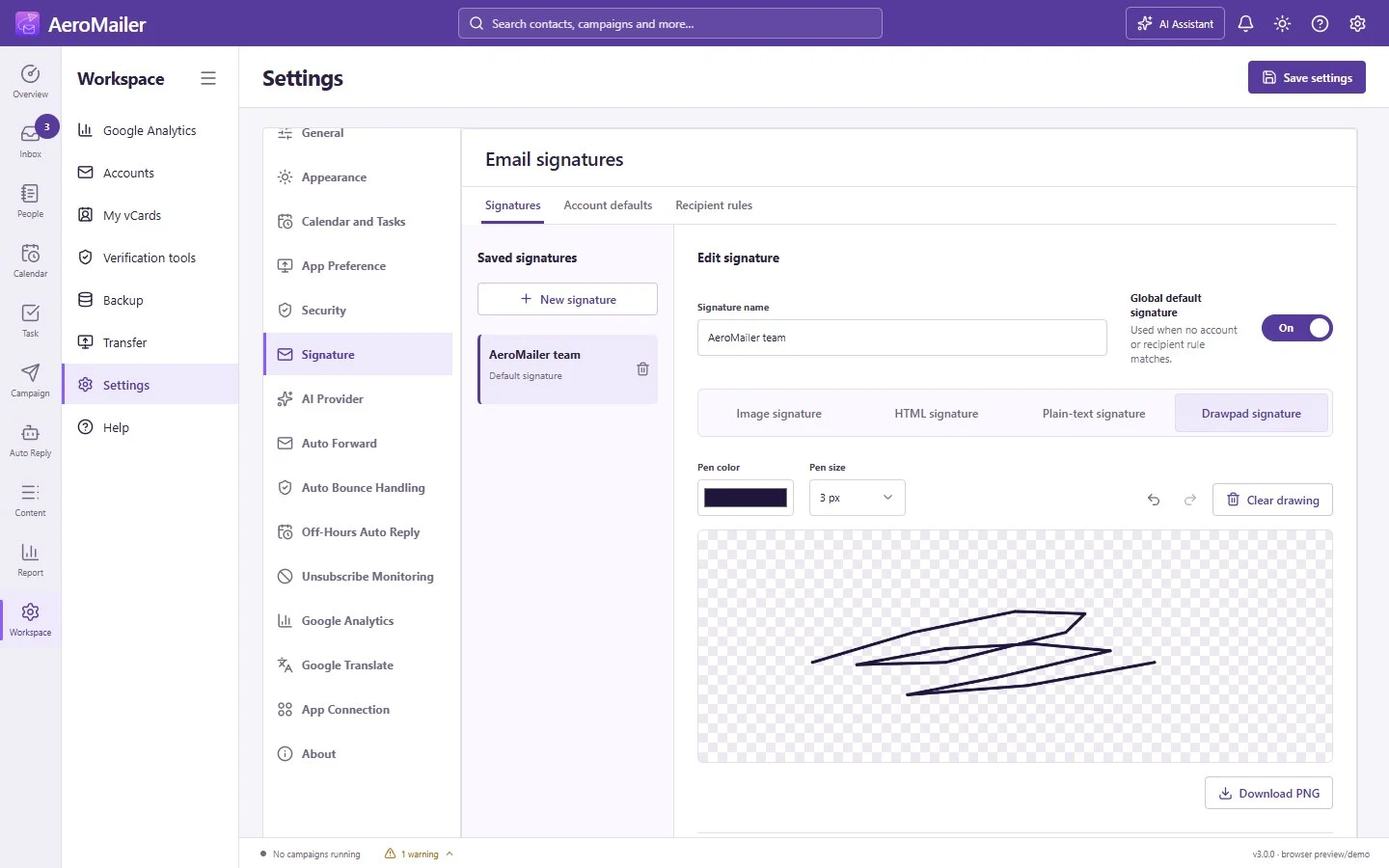
Draw a signature and save or download it as a transparent PNG.
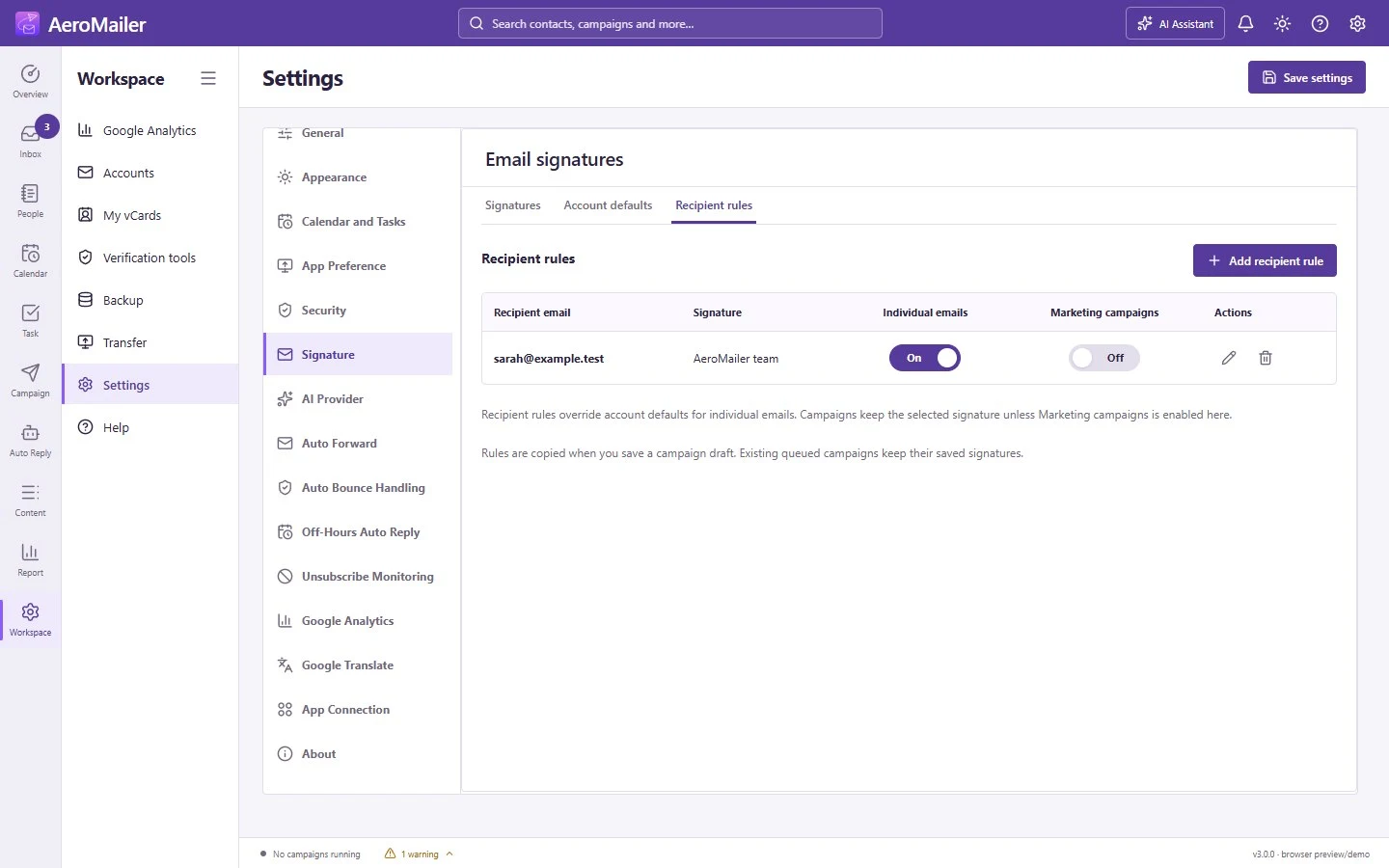
Assign a signature to specific recipients.

Ask for campaign drafts, agent setup, email writing or report analysis. Chat history and preferences persist; sensitive changes require review.

Manage agents together, edit active status, assign accounts, and use confirmed deletion, bulk actions and archiving.

Set a support prompt or import an agent folder. Configure allowed topics, safeguards, conversation context, language and manual approval.
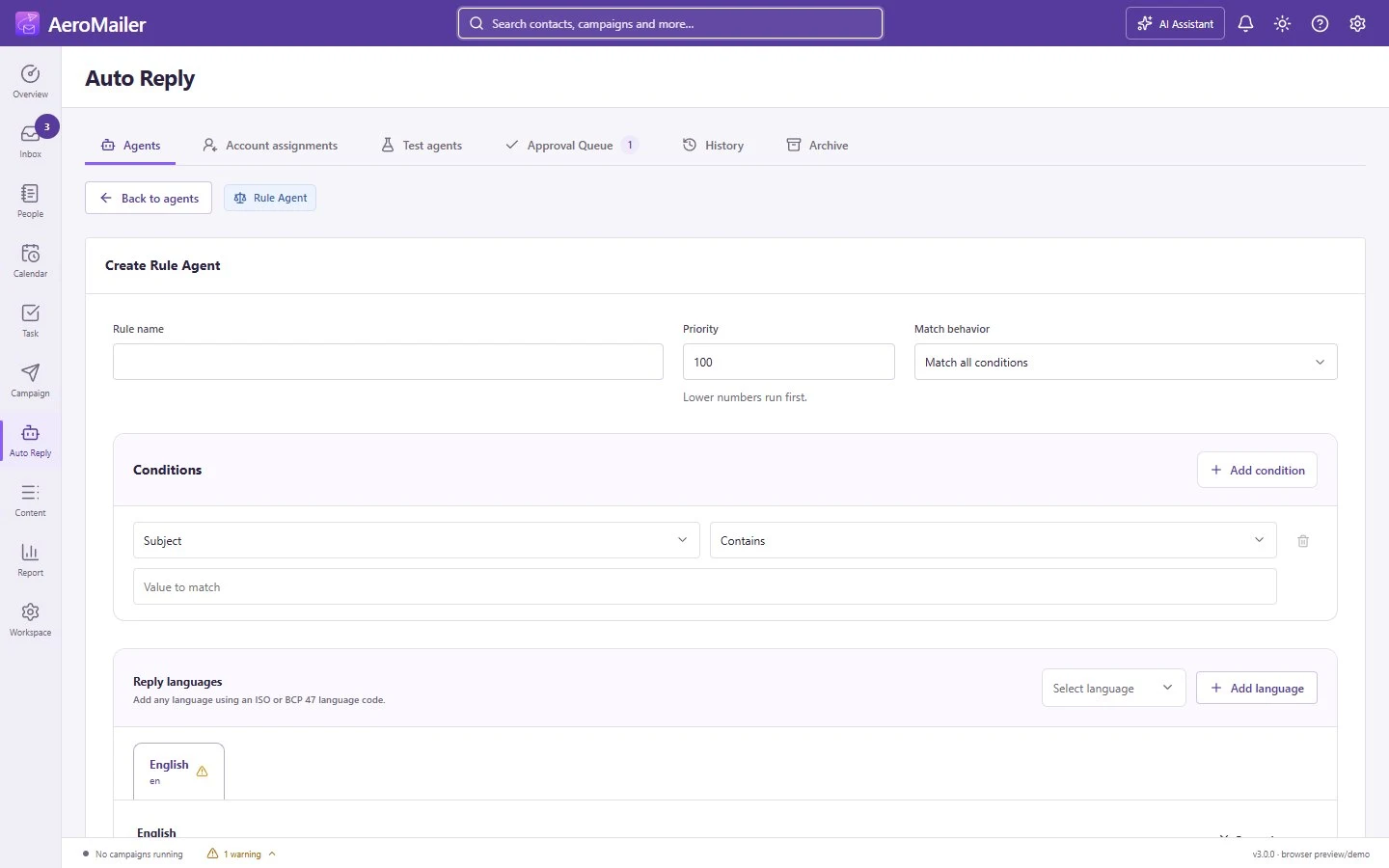
Build multilingual replies using conditions, priorities, localized content, contact notes, attachments and safe rule testing.

Connect triggers, conditions and actions. Assign multiple accounts, route to AI or Rule Agents, forward messages and test without sending.

Choose agents for each receiving account and keep AI/Advance and Rule modes separate to avoid conflicting replies.

Review the incoming message and proposed AI reply. Edit, regenerate, approve or reject a pending draft instead of sending it automatically.
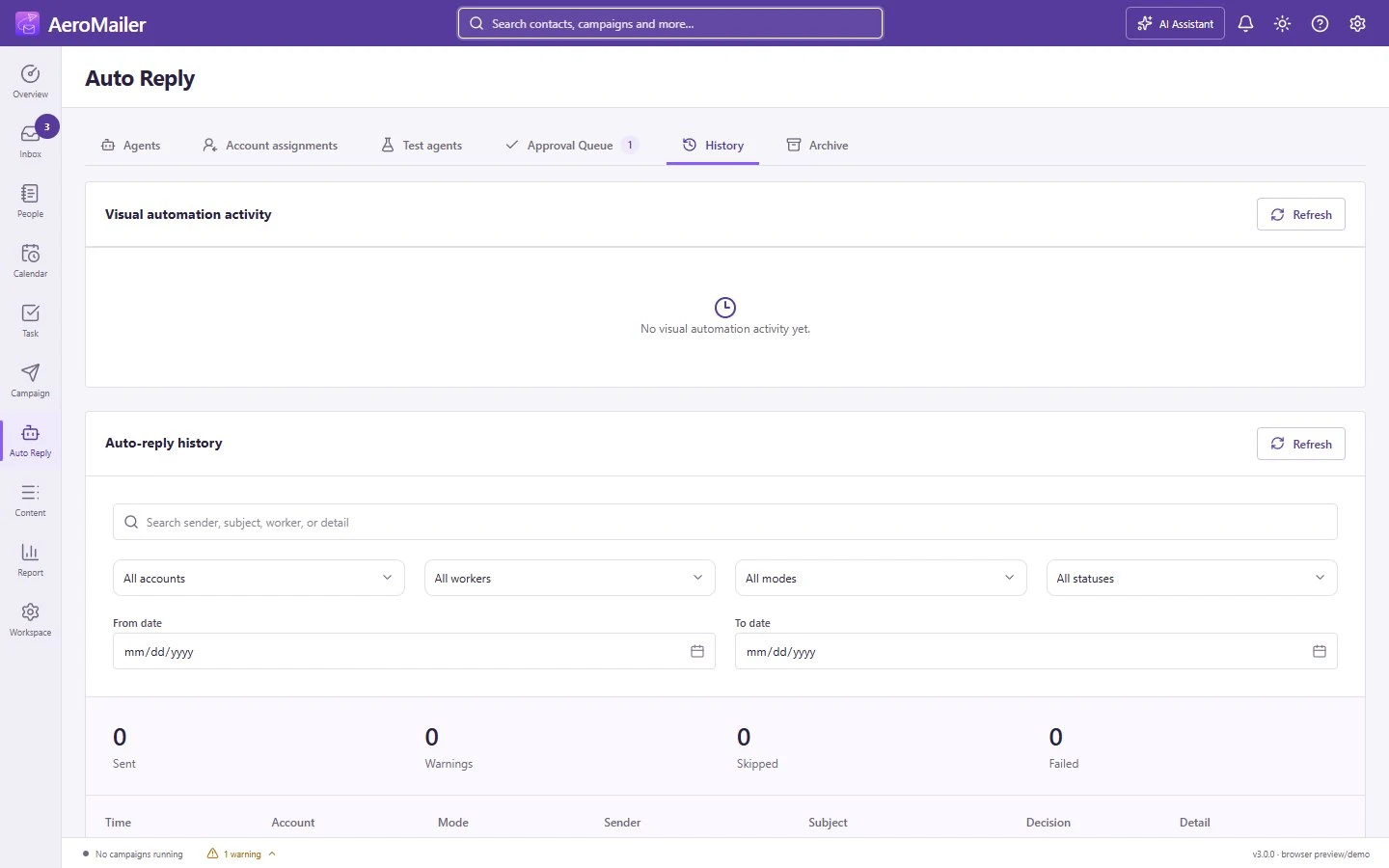
Track decisions, pending approvals, sent replies, skipped messages and failures. Filter by account, worker, mode, status and date.
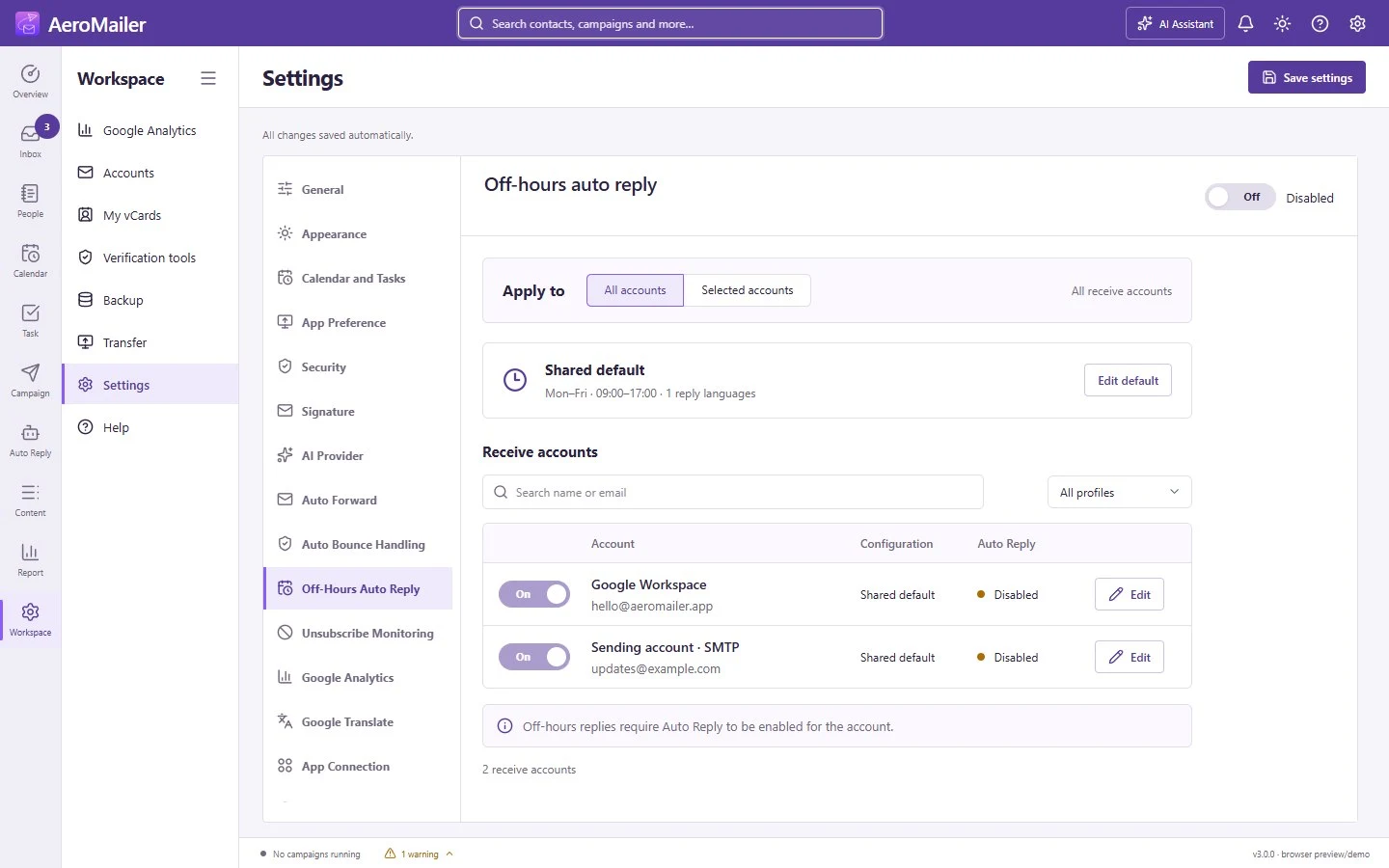
Choose all or selected accounts, set shared or account-specific schedules, and reply in the contact’s language with a configured fallback.

Match senders or subject/body keywords. Forward incoming mail or send custom messages to multiple recipients while the app runs.

Configure exact reply keywords and localized footers. Campaign opt-out replies update subscription status without changing consent or adding suppression.

Follow successful and failed sends, bounce and unsubscribe details, and export delivery results to Excel. SMTP acceptance is not proof of inbox placement.

Explore hourly, daily, weekly and monthly website traffic, campaign attribution and new versus returning visitors with your GA4 connection.

Configure local ClamAV Attachment Scanning and updates, optional Web Risk email-link scanning, and on-demand advanced sender-address checks. No scan guarantees safety.

Review delivery reports. Automatically suppress only confirmed invalid recipients matched to an AeroMailer send, with manual Spam, Suppression and Clean actions.

Check email syntax and domain MX records, verify sending domains, and test SMTP connections. These checks do not guarantee mailbox delivery.

Generate synthetic test addresses and export them as TXT or CSV.
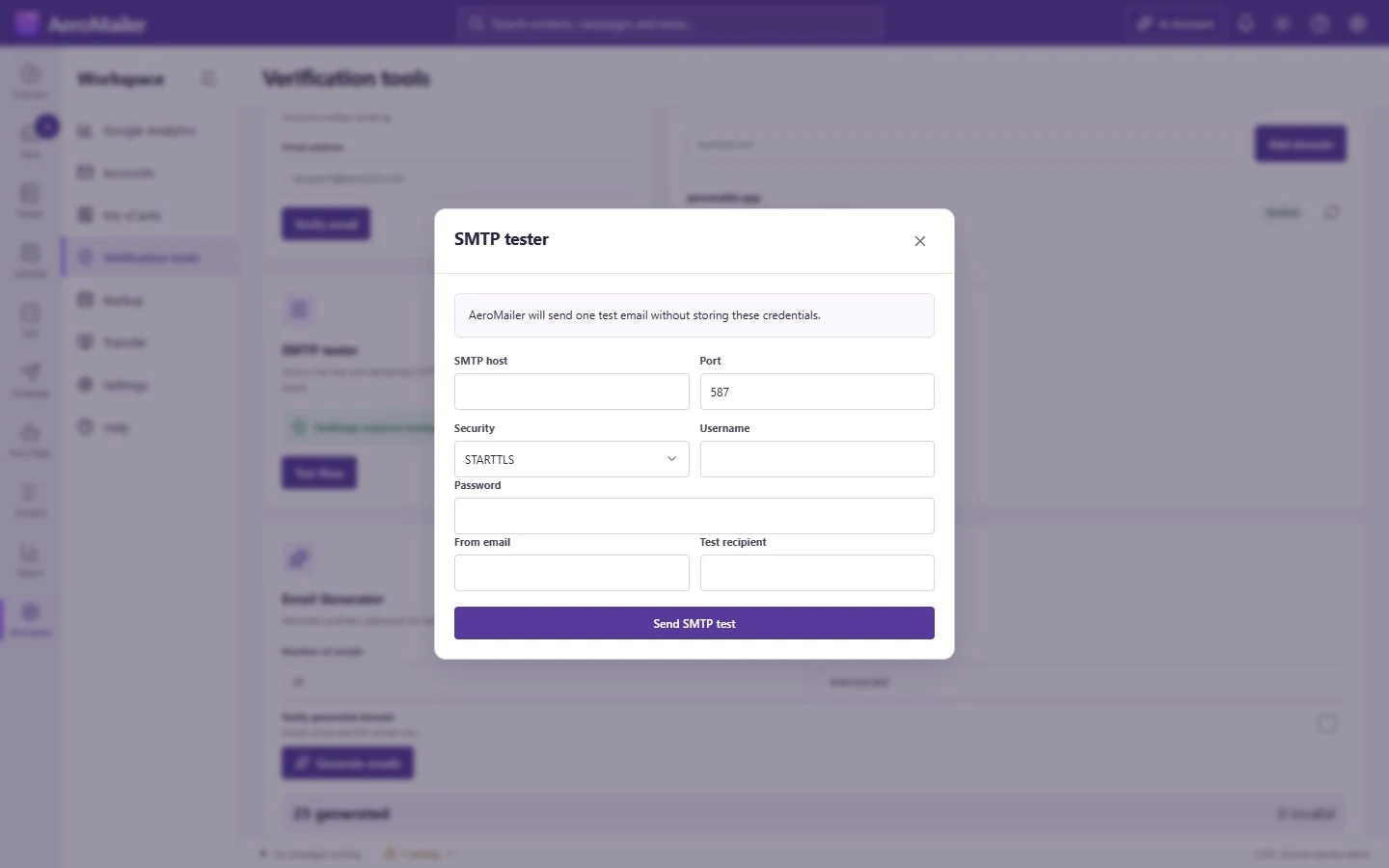
Review the temporary connection fields before sending a test email.
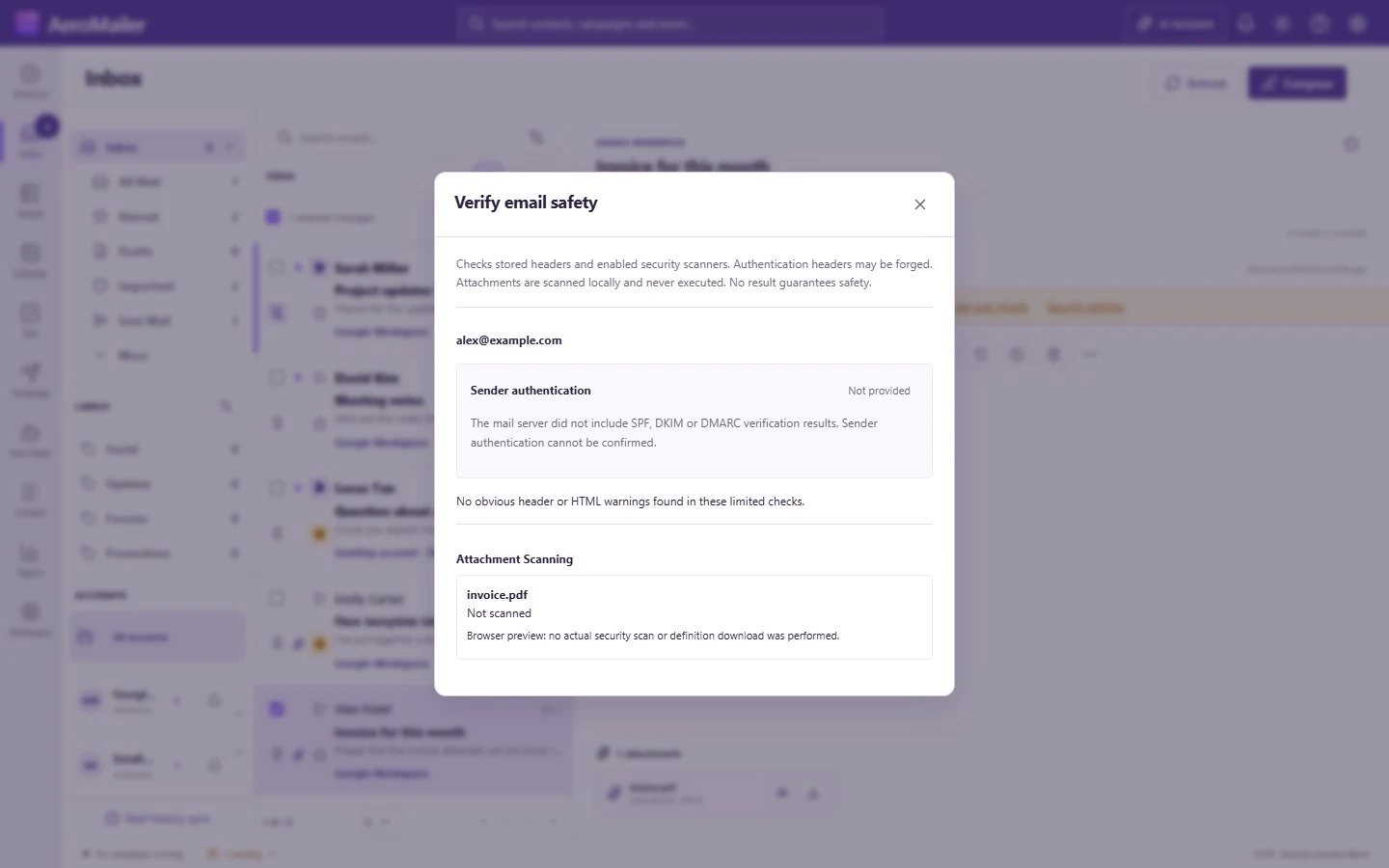
Review sender authentication, warnings and enabled scan results.
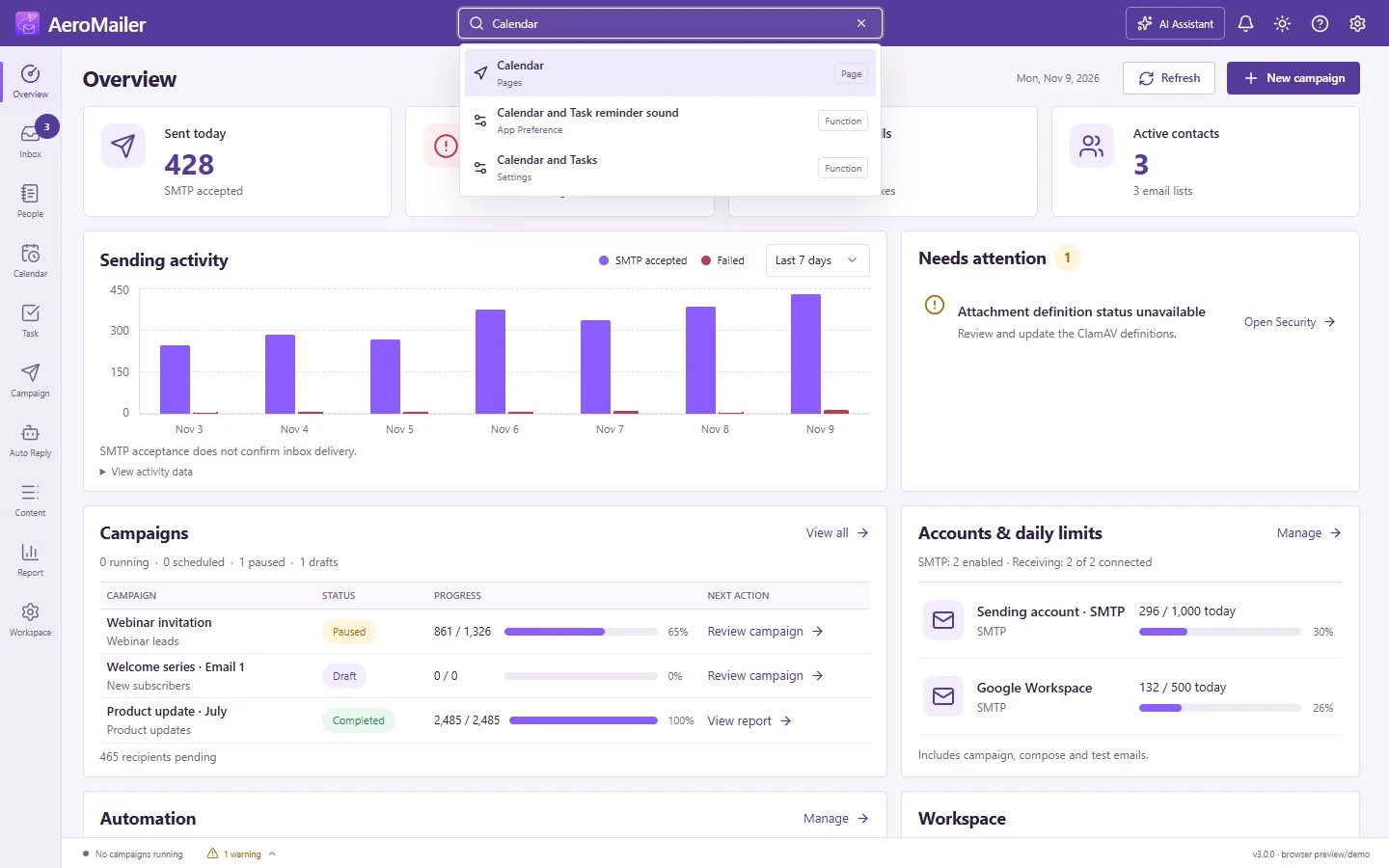
Open pages, settings and workspace items from the top search bar.
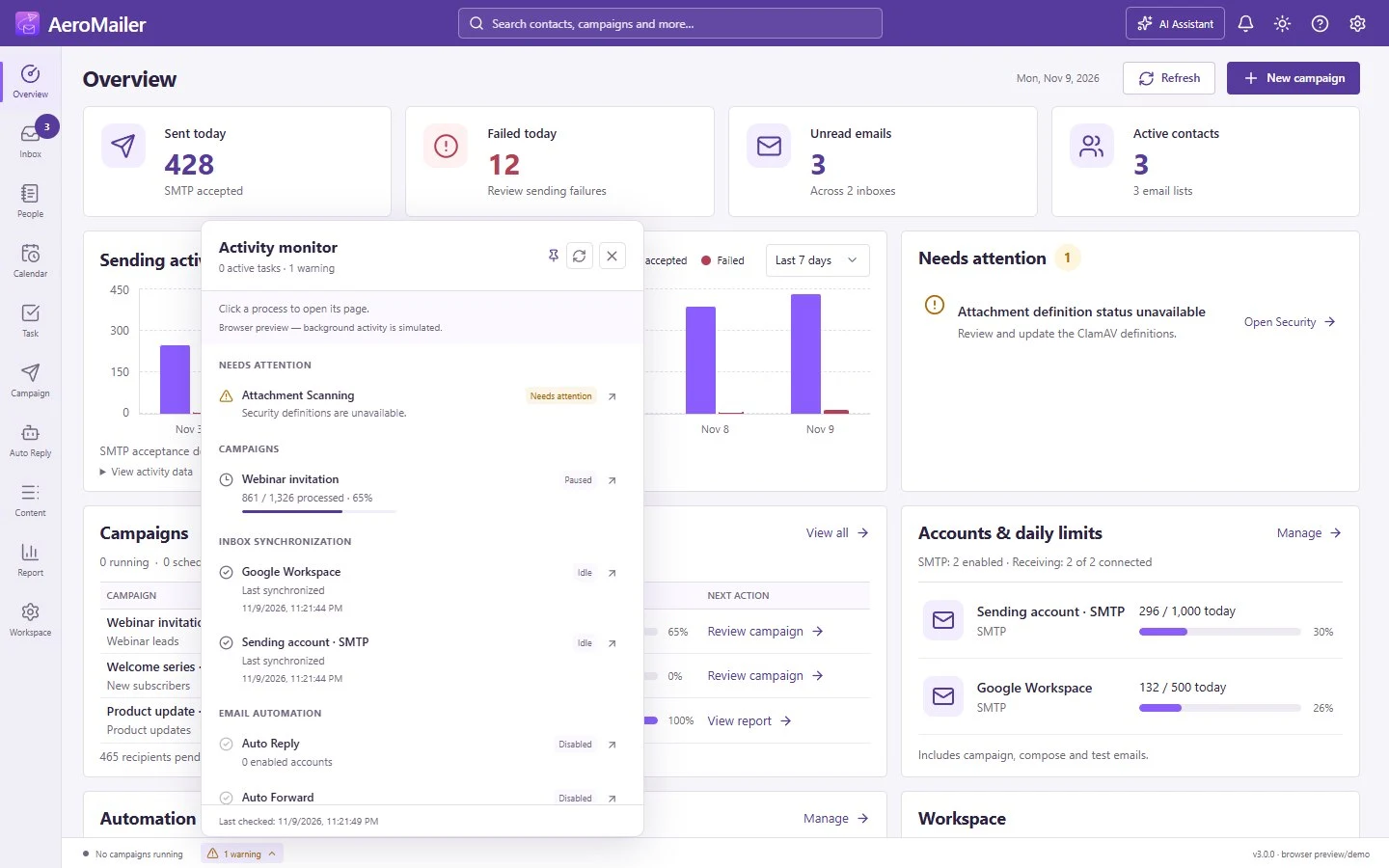
Check background jobs, Inbox sync and warnings from the footer.

See events, campaign schedules and scheduled messages in the same desktop calendar.

Set event dates, reminders, recurrence and related links.

Organize follow-ups and deadlines with reminders and due dates.
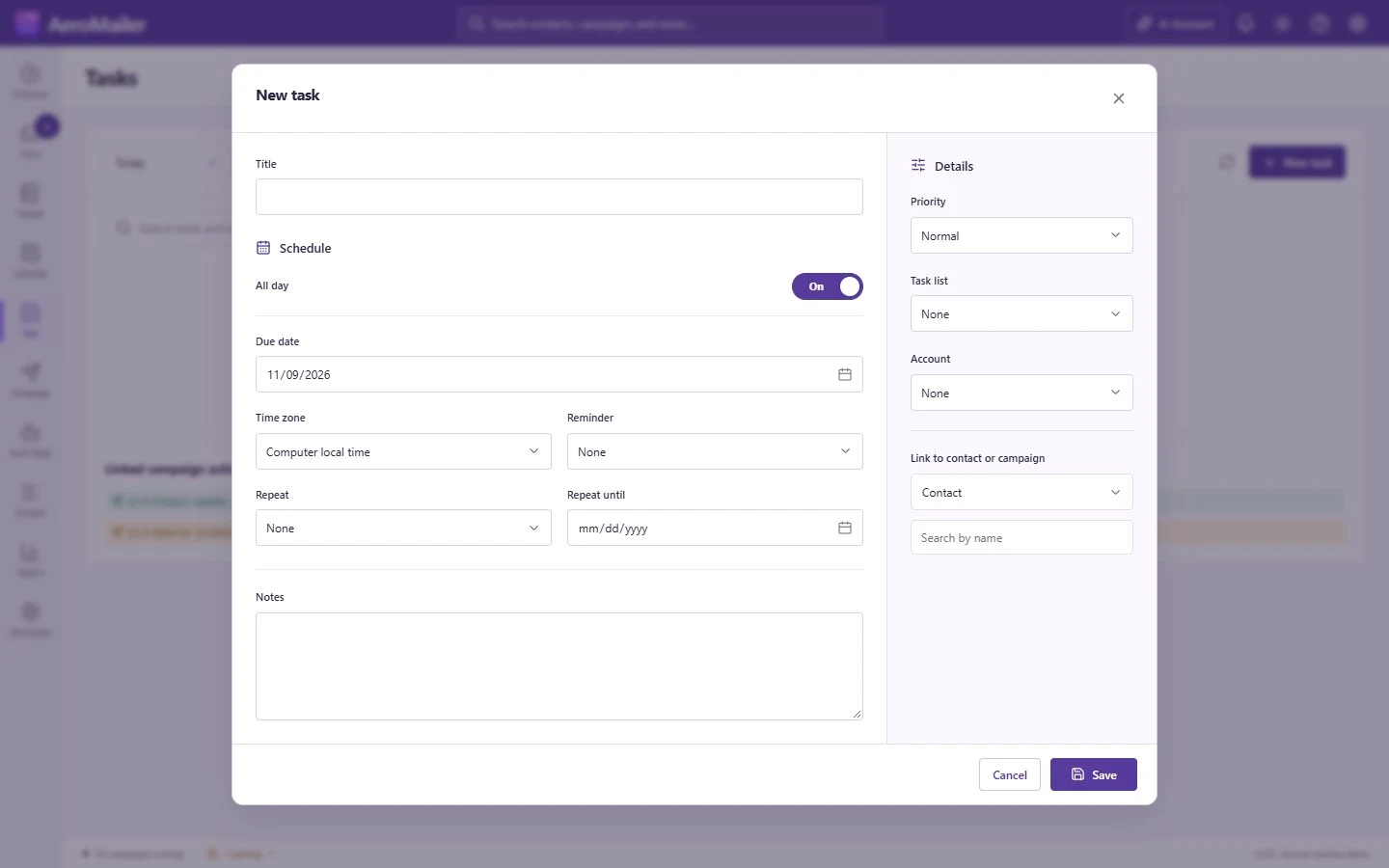
Add a task, set its due date and schedule reminders.
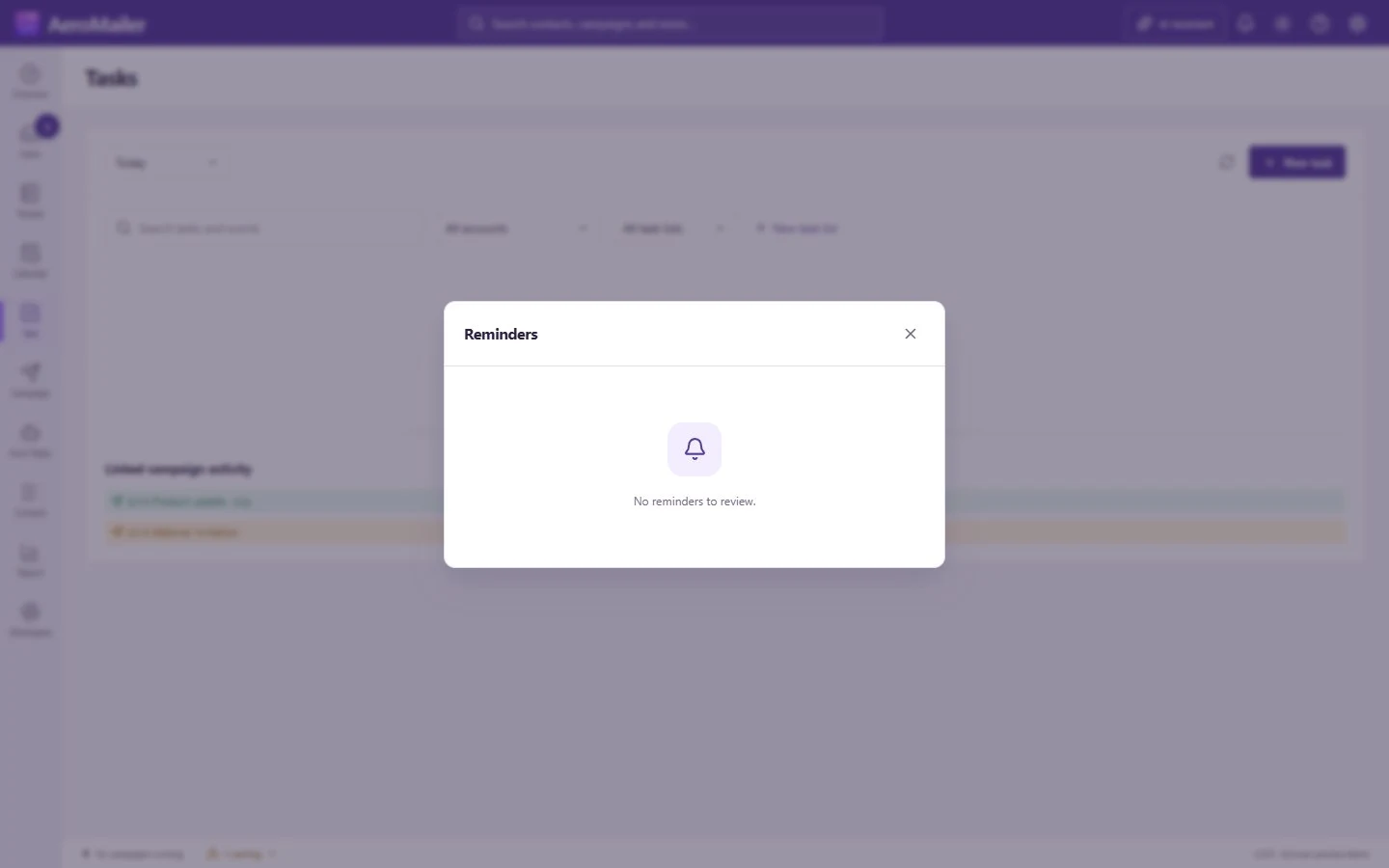
Review due reminders from the app’s top bar.
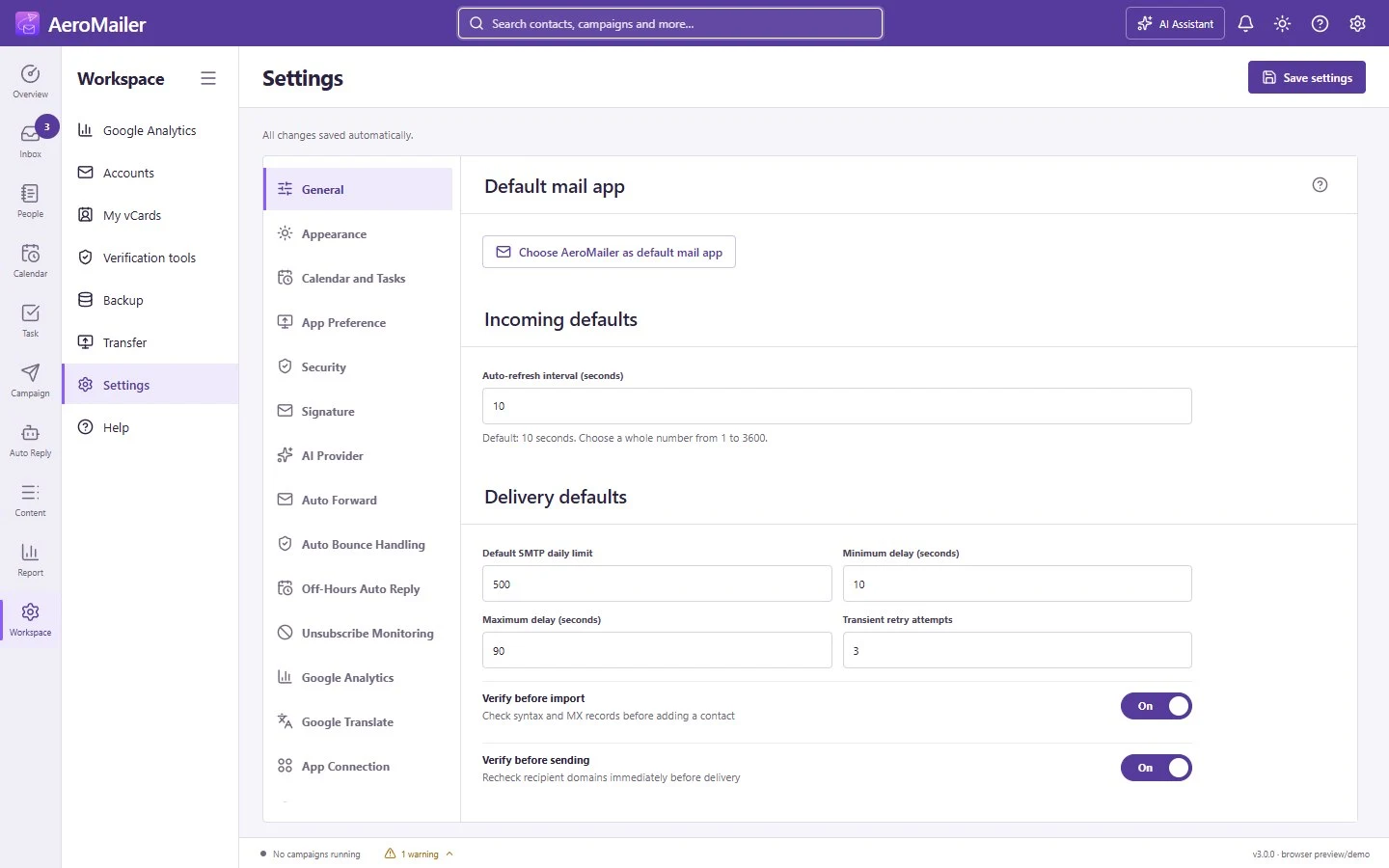
Set incoming-mail refresh, delivery defaults, verification preferences and automatic live saving, with a manual Save settings fallback.

Choose from seven palettes, two app layouts and three Inbox views.

Set display options, working hours and default reminders.

Control startup, system-tray operation, incoming-mail and campaign notifications, and live unread badges.

Choose OpenAI, Claude or Gemini, select a model, test your API key and enable AI features and personalized writing suggestions.
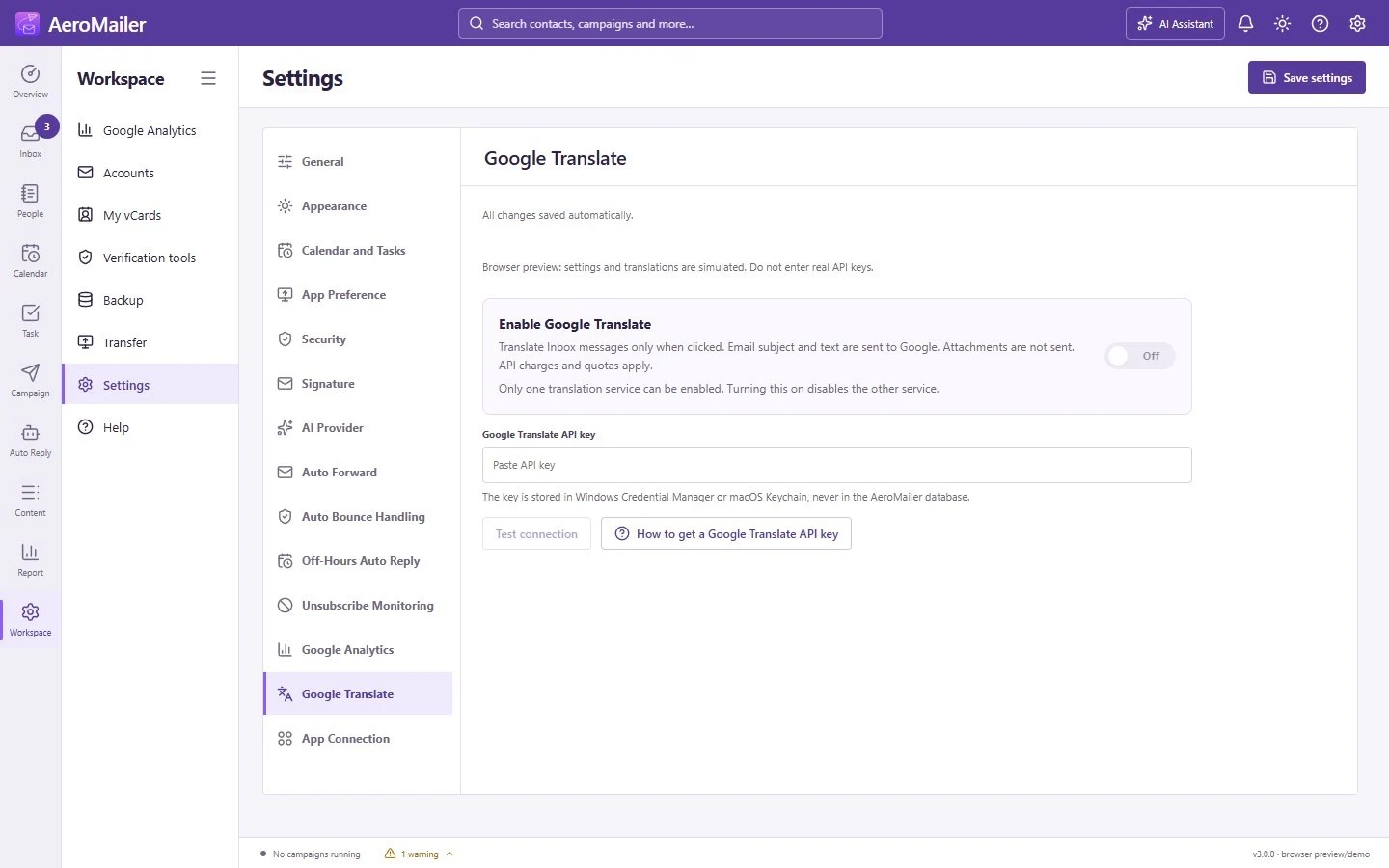
Configure optional Google Translate for Inbox messages.

Check the app version, updates and license information.

Create encrypted .amailer backups manually or on a schedule while the app runs. Optional passwords and registered-email matching protect restoration.

Choose lists, accounts, campaigns, agents, templates and settings. Export a password-protected .tfamailer file and merge it into another device.

Choose what to include in a password-protected transfer.

Open the user guide, send feedback or reach WhatsApp support from one place inside the app.

AeroMailer’s Overview with the white color theme. Available in light and dark mode.

AeroMailer’s Overview with the blue color theme. Available in light and dark mode.

AeroMailer’s Overview with the black color theme. Available in light and dark mode.

AeroMailer’s Overview with the red color theme. Available in light and dark mode.

AeroMailer’s Overview with the orange color theme. Available in light and dark mode.
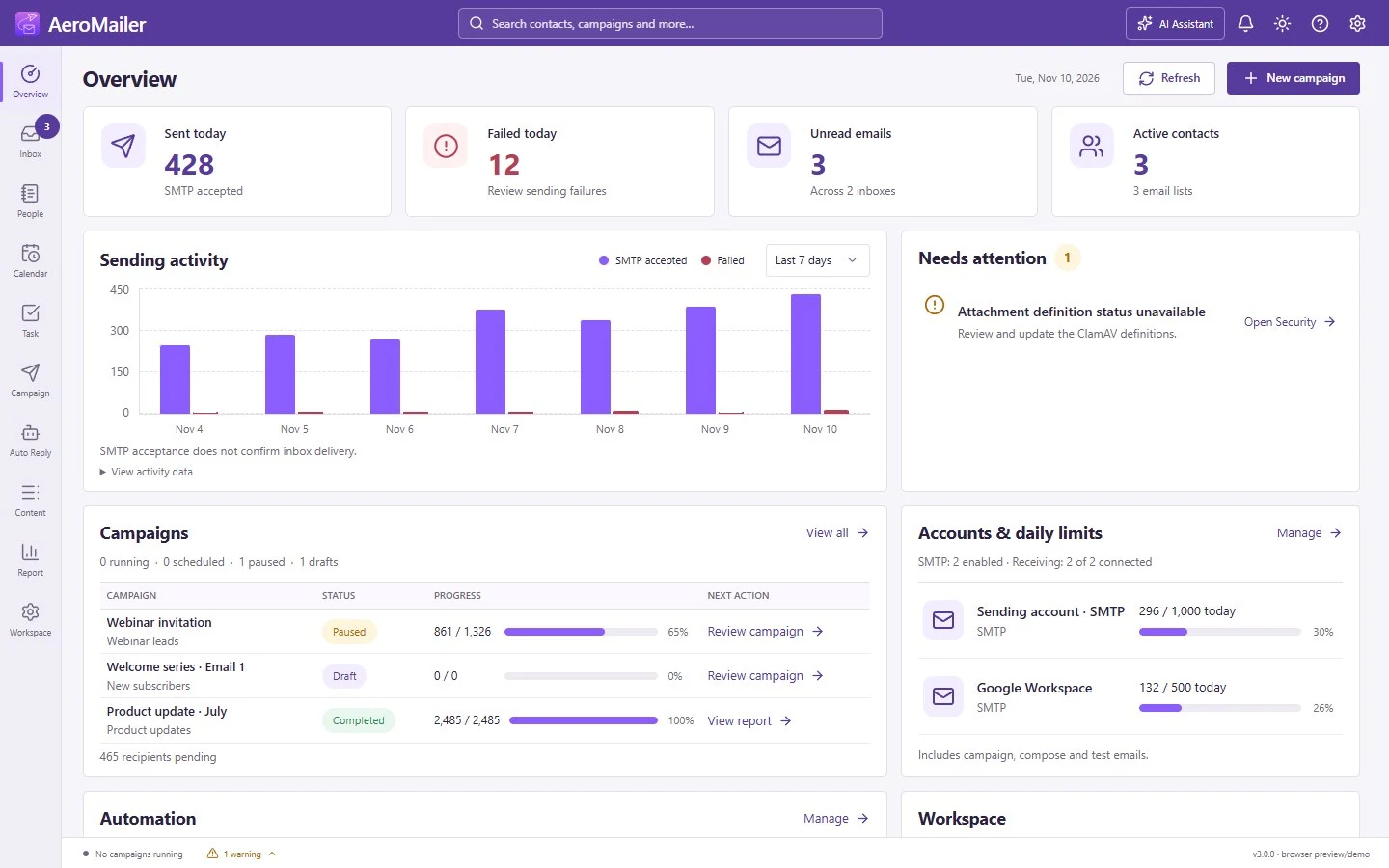
AeroMailer’s Overview with the purple color theme. Available in light and dark mode.
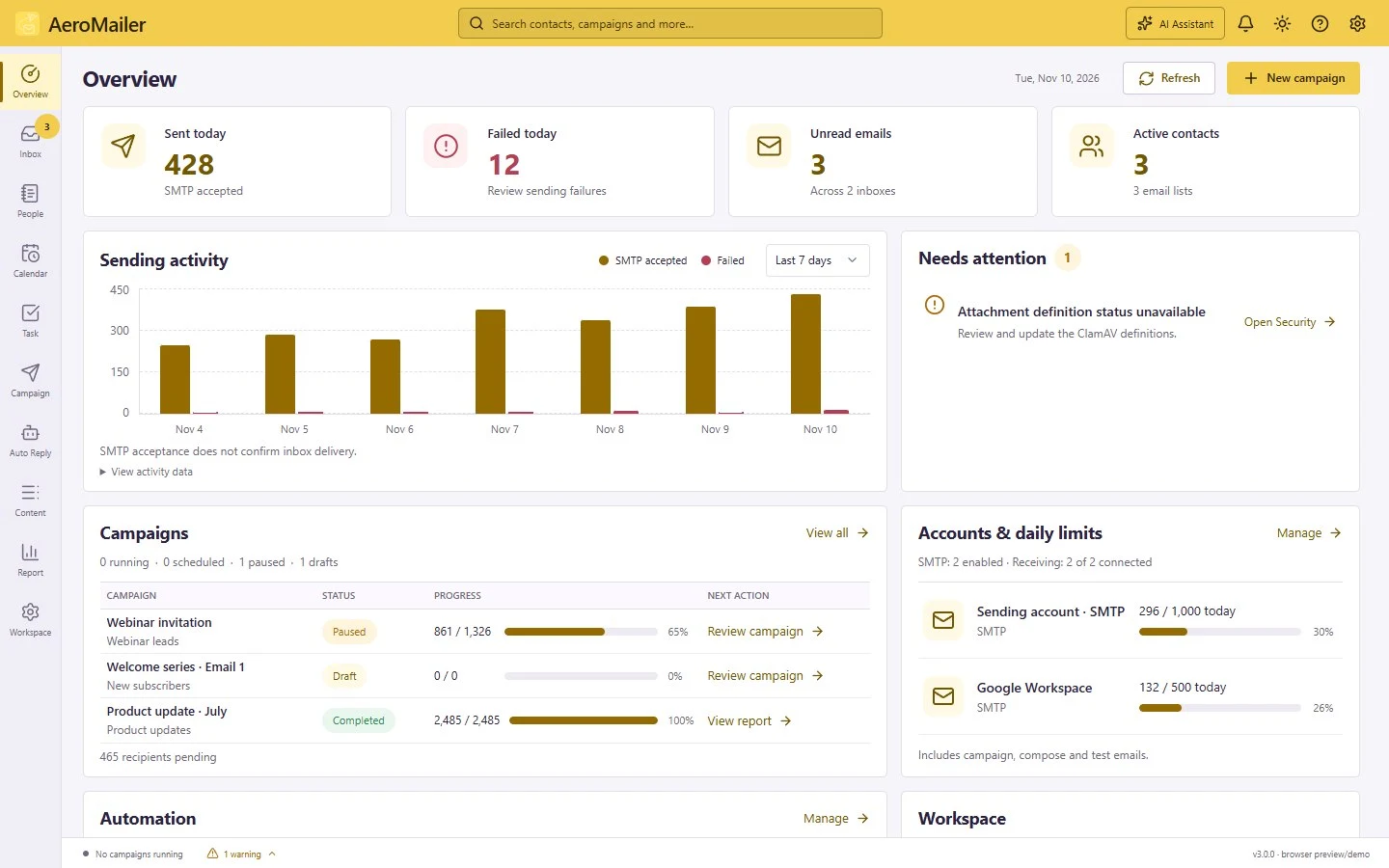
AeroMailer’s Overview with the yellow color theme. Available in light and dark mode.
Try another keyword or clear the selected category.
Free 3-day trial. No credit card required.

